第23章:HTTP API契約②:認証とエラーの契約🔐📣

ねらい🎯✨
この章では「認証(ログイン的なやつ)🔑」と「エラー(困った時の返し方)🚨」を、APIの“契約”としてカチッと統一できるようにするよ〜!🧡
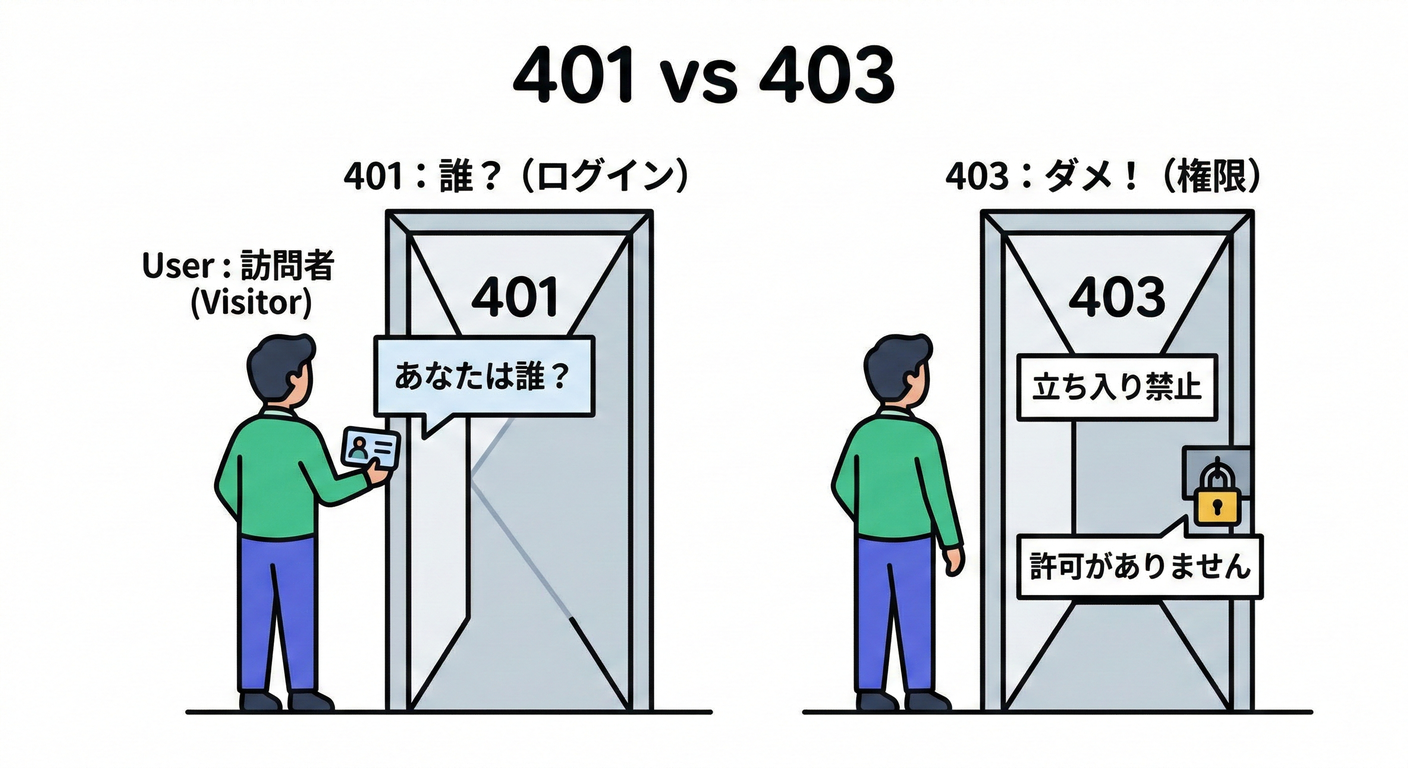
23.1 まず大事:認証(Authentication)と認可(Authorization)は別モノ💡👀
-
認証(Authentication)🔑 「あなた誰?」を確かめる(トークン持ってる?本物?期限切れ?など)
-
認可(Authorization)🎫 「その人に、それやる権限ある?」を確かめる(adminだけOK、とか)
この区別ができると、401/403の使い分けが一気にクリアになるよ✨
23.2 ステータスコードの“約束”を固定しよう📌🔢
✅ 401 Unauthorized:認証できてない(または認証情報が無効)
- 認証情報が足りない / 無効なとき
- 401を返すとき、サーバは
WWW-Authenticateヘッダー必須だよ📣(HTTPのルール) (RFCエディタ)
例:
- トークン未送信
- トークン期限切れ
- トークン壊れてる
- 署名検証できない
✅ 403 Forbidden:認証はできたけど、権限がない🙅♀️
- 「あなたが誰か」は分かるけど その操作は許可できないとき
HTTP仕様でも、403は「分かってるけど拒否する」って意味だよ〜🚪✋ (RFCエディタ)
23.3 Bearerトークンの“送る場所”を契約にする📮🪪
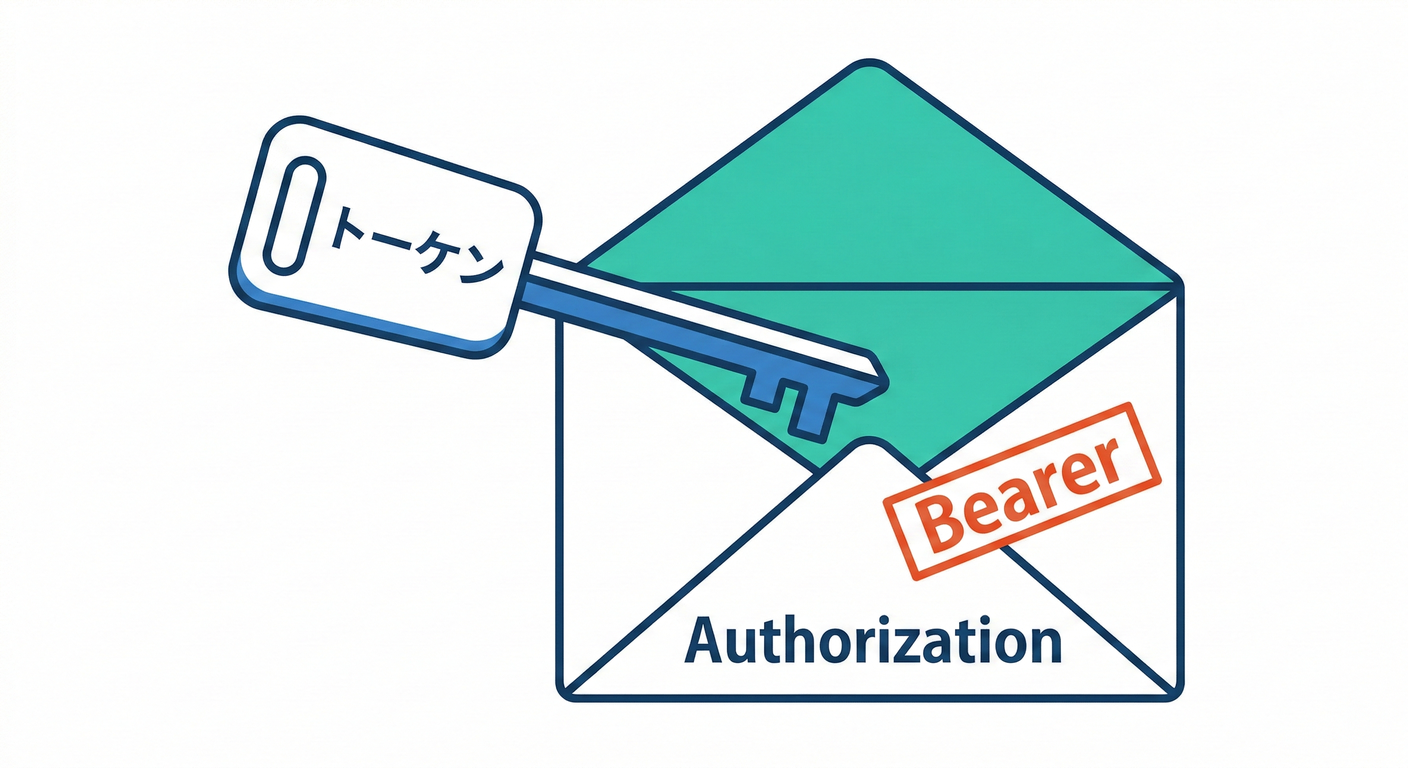
よくある契約はこれ👇
- リクエストヘッダに
Authorization: Bearer <access_token>
Bearerトークンは「持ってる人が使えちゃう」性質なので、漏れたら終わり🥶 だから 保存・転送の漏洩対策が超大事って明記されてるよ ([IETF Datatracker][2])
🚫 やっちゃダメ寄り:URL(クエリ)にトークンを入れる
URLは履歴・ログ・リファラ等で漏れやすいので、BearerはURLに載せない推奨だよ⚠️ ([IETF Datatracker][2])
23.4 OAuthの“いま”っぽい前提(超ざっくり)🧠✨
- OAuth 2.1 は、OAuth 2.0の現代運用をまとめ直して、 2.0のRFC(6749/6750)を置き換える方向の仕様として整理されてるよ📚 ([IETF Datatracker][3])
- セキュリティの「今どきの推奨」は RFC 9700(Best Current Practice) にまとまってる🛡️ ([IETF Datatracker][4])
この章のゴールは「OAuthフロー完全理解」じゃなくて、 API側の契約として“認証エラーをどう返すか”を固定することだよ🧡
23.5 エラー形式を統一する:Problem Details(RFC 9457)を採用しよう🧾✨
APIのエラーって、バラバラだと地獄…😵💫 だから エラーJSONの標準フォーマットとして RFC 9457 があるよ!(7807を置き換え) (RFCエディタ)
✅ Content-Type はこれ
application/problem+json(RFCエディタ)
✅ だいたい使う“基本メンバー”🎁
type:エラー種別を表すURI(省略するとabout:blank扱い) (RFCエディタ)title:短いタイトルstatus:HTTPステータス(入れておくと親切)detail:人間向け説明(ログにも便利)instance:そのエラーの発生IDっぽいもの(サポート用) (RFCエディタ)
RFCの例もこんな感じ(403の例)で出てるよ〜🧾 (RFCエディタ)
23.6 「認証&権限」まわりのエラー契約テンプレ📐🔐
ここがこの章のメインだよ〜!!📣✨ **認証・権限エラーは“誰が実装しても同じ形”**にしよう💪
A) 認証失敗(401)テンプレ🔑❌
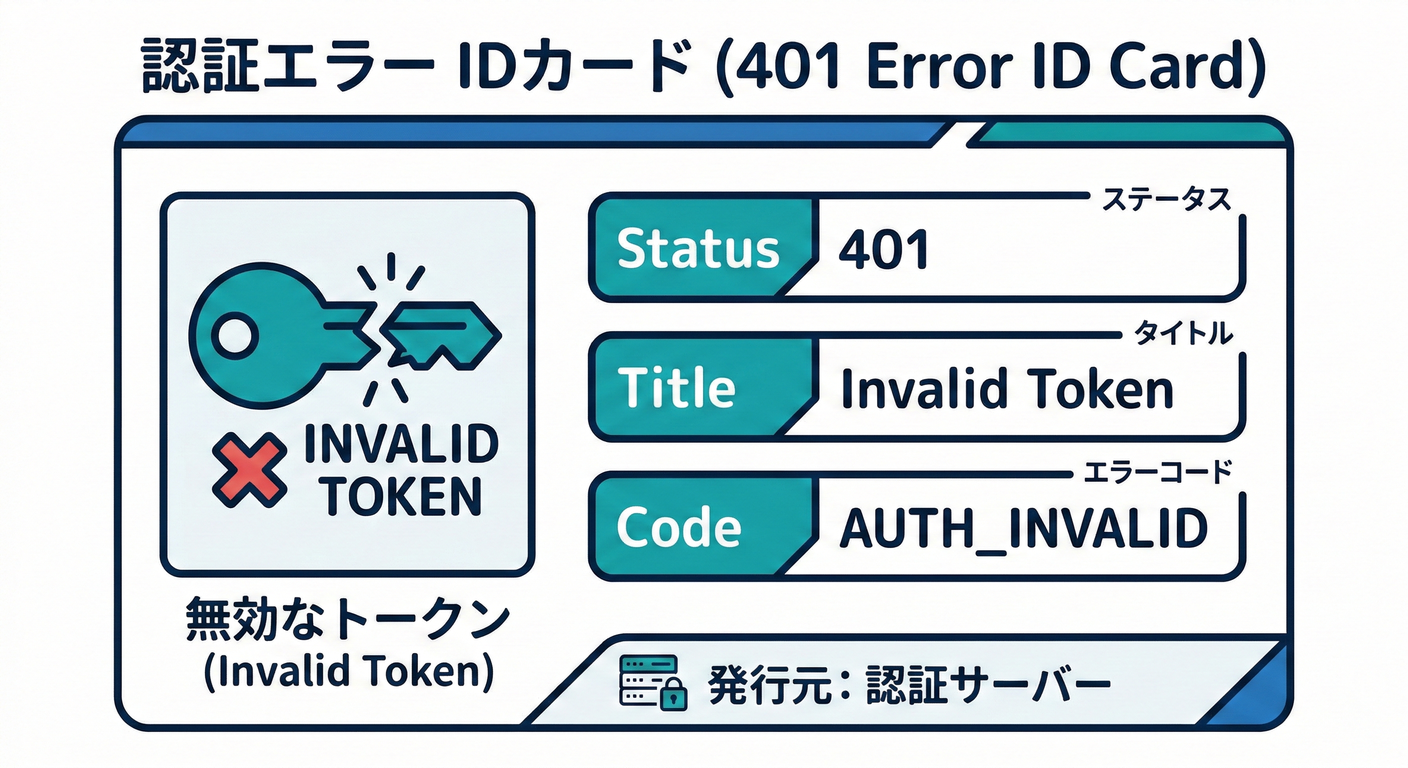
HTTP
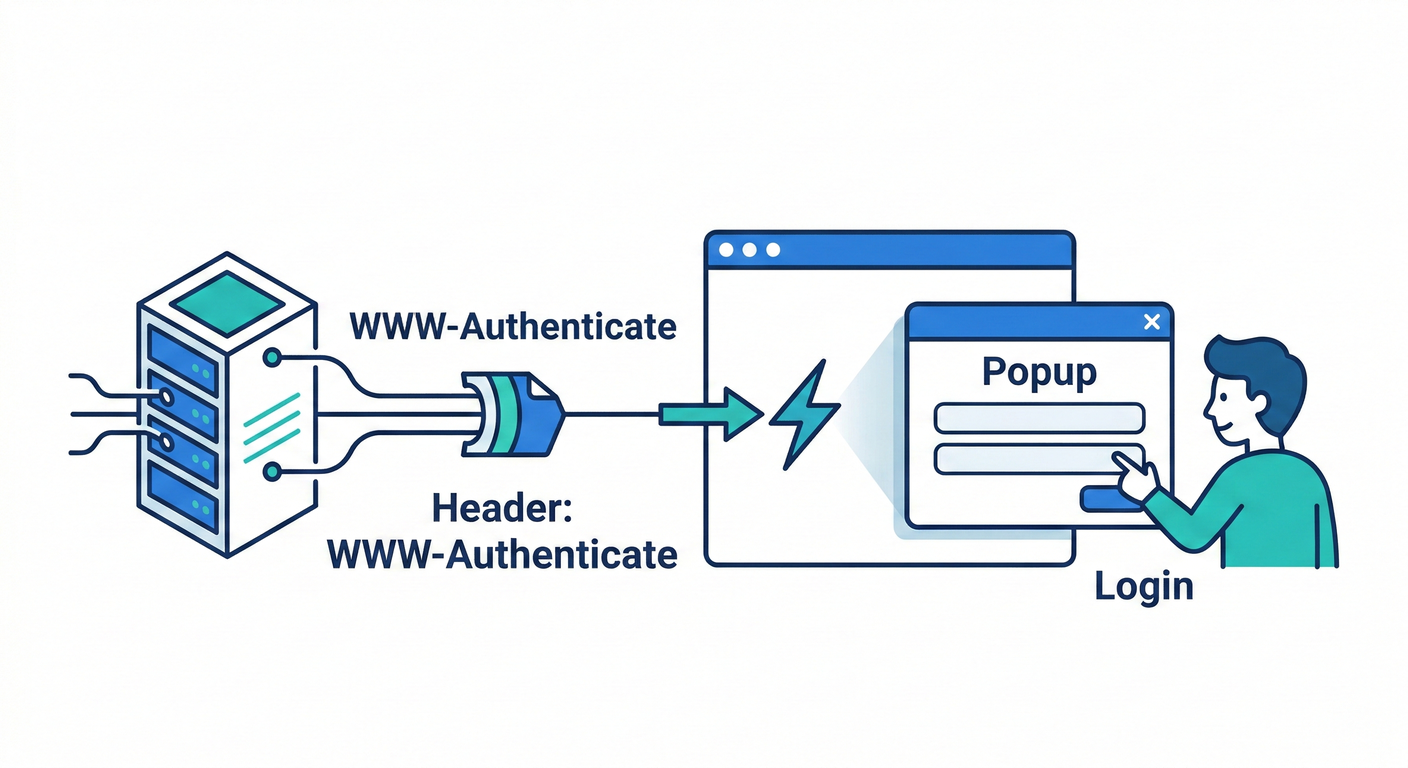
- Status:
401 - Header:
WWW-Authenticateを必ず付ける (RFCエディタ)
Problem Details(例)
-
type:https://api.example.com/problems/auth/invalid-token -
title:"Invalid access token" -
status:401 -
detail:"Token is expired or invalid." -
instance:"urn:request:<id>"(requestIdでもOK) -
拡張フィールド(おすすめ):
code:"AUTH_INVALID_TOKEN"traceId:"..."
Bearerの標準エラー値(覚えておくと強い)🧠
Bearer周りは仕様に error値があるよ(例:invalid_request / invalid_token / insufficient_scope) ([IETF Datatracker][2])
B) 権限不足(403)テンプレ🎫❌
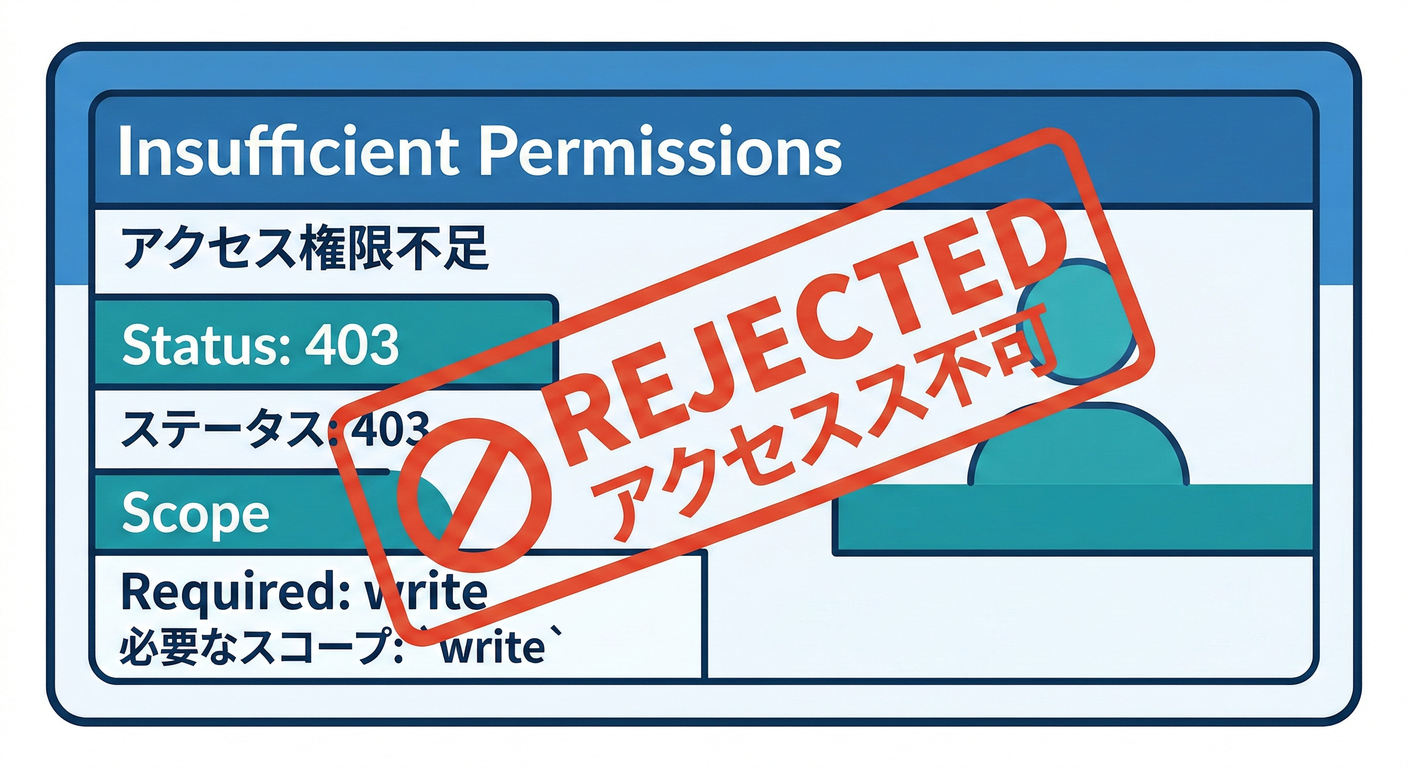
HTTP
- Status:
403
Problem Details(例)
-
type:https://api.example.com/problems/auth/insufficient-scope -
title:"Insufficient permissions" -
status:403 -
detail:"Required scope: write:orders" -
instance:"urn:request:<id>" -
拡張フィールド:
code:"AUTH_INSUFFICIENT_SCOPE"requiredScopes:["write:orders"]
23.7 “契約として書く”とこうなる📝✨(仕様テンプレ)
API仕様書(OpenAPIでも社内Wikiでも)に、最低これを固定しよ〜📌
-
認証方式:
Authorization: Bearer <token> -
認証が必要なエンドポイント一覧(or 原則:全部必要、例外だけ列挙)
-
401の返し方:
WWW-Authenticate必須application/problem+jsontype/title/status/detail/instanceを基本とするcode/traceIdの拡張を採用
-
403の返し方:
- 401と同じProblem Details形式
requiredScopesなどを拡張で返す(任意)
23.8 TypeScript 実装例(ミニ)🧩✨
1) エラーをProblem Detailsで返すヘルパー🧾
type ProblemDetails = {
  type?: string;
  title?: string;
  status?: number;
  detail?: string;
  instance?: string;

  // 拡張フィールド(自由に追加OK)
  code?: string;
  traceId?: string;
  requiredScopes?: string[];
};

function problem(
  status: number,
  body: ProblemDetails,
  opts?: { wwwAuthenticate?: string }
) {
  return {
    status,
    headers: {
      "Content-Type": "application/problem+json; charset=utf-8",
      ...(opts?.wwwAuthenticate ? { "WWW-Authenticate": opts.wwwAuthenticate } : {}),
    },
    body: JSON.stringify({ status, ...body }),
  };
}
2) 認証チェック(超ざっくり)🔐
function getBearerToken(authHeader: string | undefined): string | null {
  if (!authHeader) return null;
  const [scheme, token] = authHeader.split(" ");
  if (scheme?.toLowerCase() !== "bearer") return null;
  if (!token) return null;
  return token;
}

// 例:トークン検証の結果(本物っぽい形だけ)
type VerifyResult =
  | { ok: true; userId: string; scopes: string[] }
  | { ok: false; reason: "missing" | "invalid" | "expired" };

function verifyAccessToken(token: string): VerifyResult {
  // 本物の実装では署名検証や失効チェックなどをするよ
  if (token === "expired") return { ok: false, reason: "expired" };
  if (token === "bad") return { ok: false, reason: "invalid" };
  return { ok: true, userId: "u_123", scopes: ["read:orders"] };
}
3) 401 / 403 を統一して返すイメージ🚦
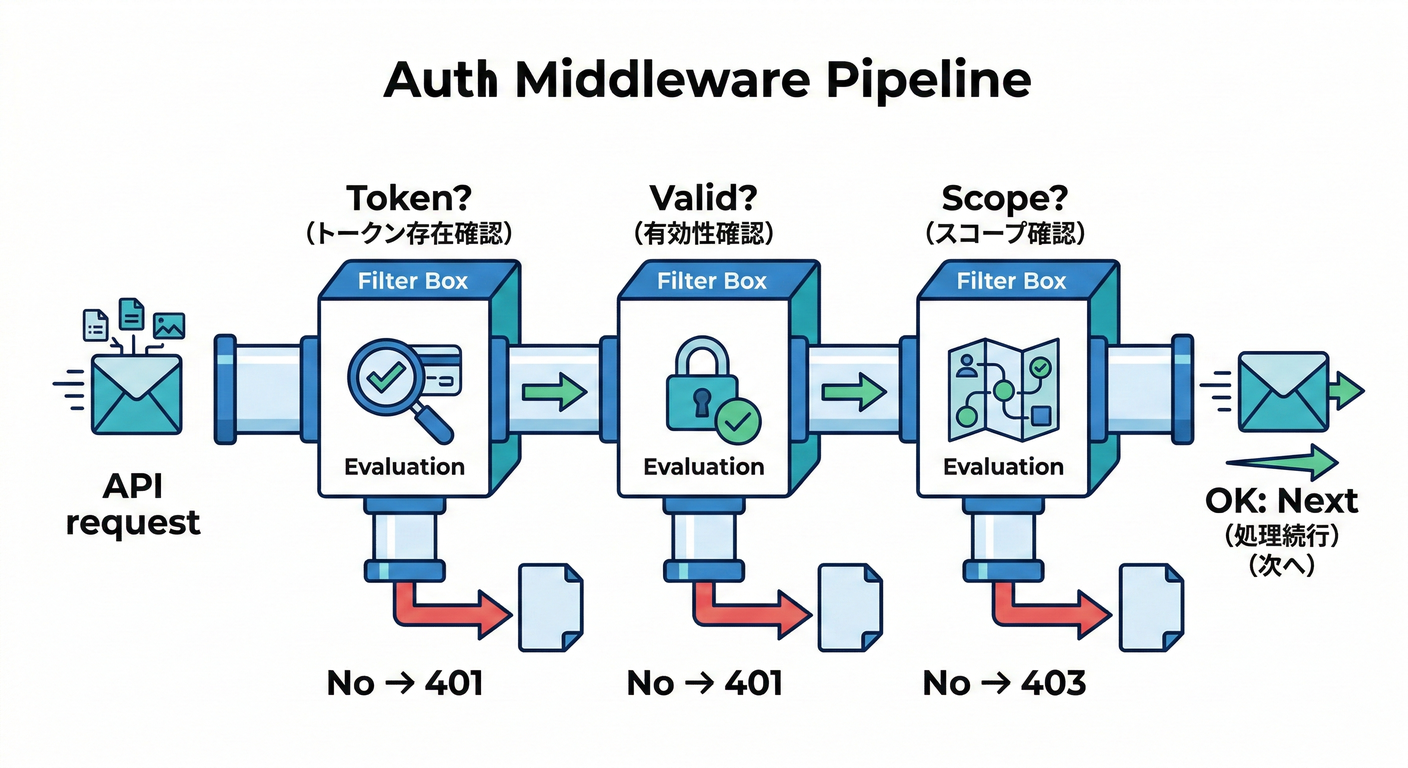
(Expressっぽい擬似コード)
function authMiddleware(req: any, res: any, next: any) {
  const token = getBearerToken(req.headers["authorization"]);
  if (!token) {
    const r = problem(401, {
      type: "https://api.example.com/problems/auth/missing-token",
      title: "Missing access token",
      detail: "Send Authorization: Bearer <token>.",
      code: "AUTH_MISSING_TOKEN",
      traceId: req.id,
    }, {
      wwwAuthenticate: 'Bearer realm="api", error="invalid_request"',
    });
    res.status(r.status).set(r.headers).send(r.body);
    return;
  }

  const v = verifyAccessToken(token);
  if (!v.ok) {
    const r = problem(401, {
      type: "https://api.example.com/problems/auth/invalid-token",
      title: "Invalid access token",
      detail: "Token is expired or invalid.",
      code: v.reason === "expired" ? "AUTH_EXPIRED_TOKEN" : "AUTH_INVALID_TOKEN",
      traceId: req.id,
    }, {
      wwwAuthenticate: 'Bearer realm="api", error="invalid_token"',
    });
    res.status(r.status).set(r.headers).send(r.body);
    return;
  }

  // req.user に詰めて後段へ
  req.user = v;
  next();
}

function requireScope(required: string) {
  return (req: any, res: any, next: any) => {
    const scopes: string[] = req.user?.scopes ?? [];
    if (!scopes.includes(required)) {
      const r = problem(403, {
        type: "https://api.example.com/problems/auth/insufficient-scope",
        title: "Insufficient permissions",
        detail: `Required scope: ${required}`,
        code: "AUTH_INSUFFICIENT_SCOPE",
        requiredScopes: [required],
        traceId: req.id,
      });
      res.status(r.status).set(r.headers).send(r.body);
      return;
    }
    next();
  };
}
ポイントはここだよ👇💕
- 401は
WWW-Authenticateを付ける(HTTPのルール) (RFCエディタ) - Bearerの
error="invalid_token"/error="invalid_request"などを使うと、クライアントが判断しやすい🧠 ([IETF Datatracker][2]) - ボディはProblem Details(RFC 9457)で統一🧾 (RFCエディタ)
23.9 クライアント側(fetch)の扱い方🍪🌐
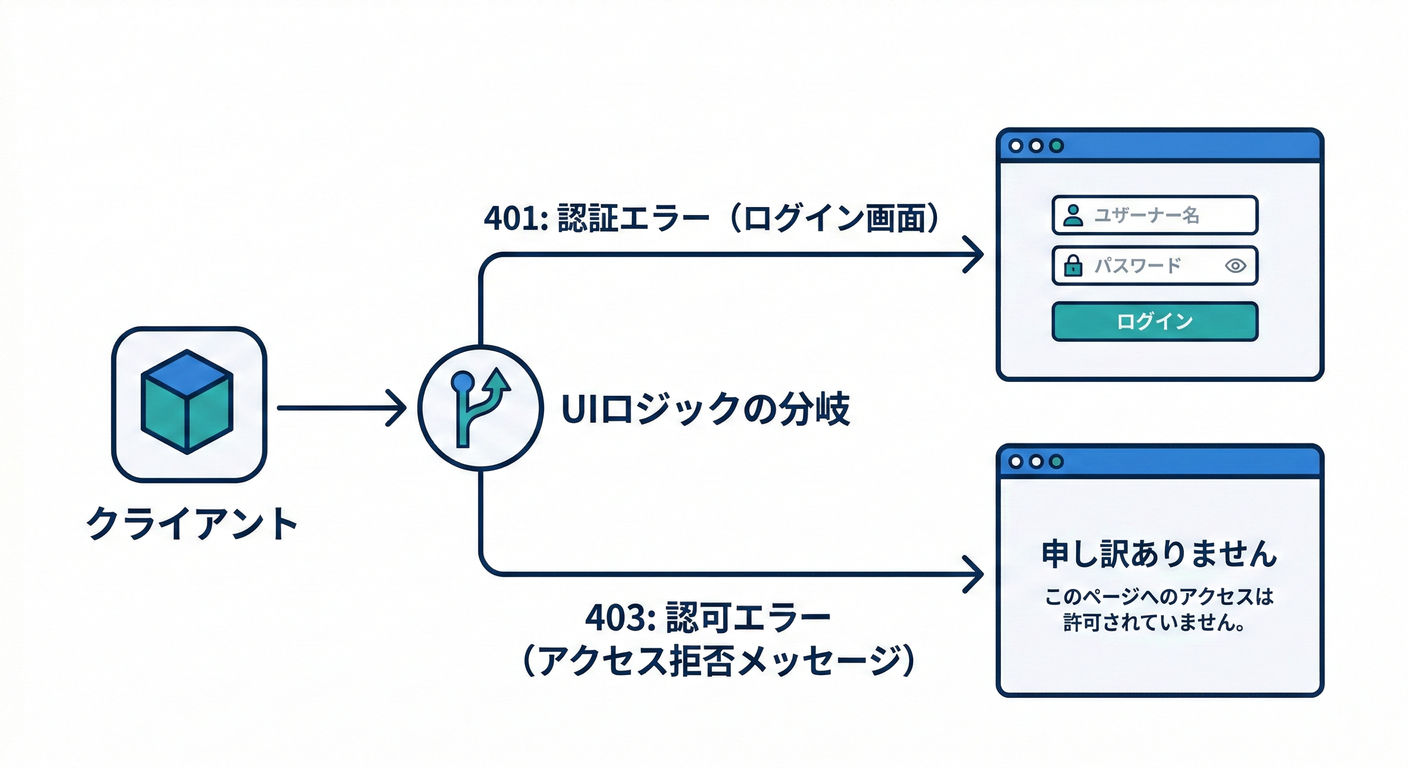
✅ クライアントの基本行動ルール
- 401:認証情報がダメ → ログインやトークン更新(refresh)を検討
- 403:権限がない → 画面上で「権限がないよ」って案内(自動リトライしない)
async function callApi() {
  const res = await fetch("https://api.example.com/orders", {
    headers: { Authorization: "Bearer " + "expired" },
  });

  if (res.ok) return res.json();

  const contentType = res.headers.get("content-type") ?? "";
  if (contentType.includes("application/problem+json")) {
    const p = await res.json();
    if (res.status === 401) {
      // 例:再ログインやトークン更新導線へ
      throw new Error(`401: ${p.code ?? p.title}`);
    }
    if (res.status === 403) {
      throw new Error(`403: ${p.code ?? p.title}`);
    }
  }

  throw new Error(`HTTP ${res.status}`);
}
23.10 ミニ演習🎮📝
演習1:認証エラー表を作ろう📋✨
次を埋めてみてね👇
- 401(未ログイン/期限切れ/不正)で返す
typeとcode - 403(権限不足)で返す
typeとcode detailは「利用者が次に何をすべきか」まで書く💡
例:
AUTH_MISSING_TOKEN→ 「AuthorizationヘッダにBearerを付けてね」AUTH_EXPIRED_TOKEN→ 「更新して再試行してね」
演習2:Problem Detailsに“拡張フィールド”を1つ足す🎁
おすすめはどれかを追加👇
traceId(ログと突合できる)errors(バリデーションで使うやつ)requiredScopes(403のとき神)
23.11 AI活用(そのままコピペOK)🤖💬✨
- 「このAPIの401/403のエラー契約(type/code/detail)を提案して。利用者が次に何をすべきかまで書いて」🧾💡
- 「RFC 9457のProblem Detailsを前提に、うちのAPI向けのエラー形式テンプレ(拡張フィールド込み)を作って」📦✨
- 「このエンドポイントに必要なscope設計案を出して。最小権限でお願い」🛡️🎫
- 「401と403の使い分けがブレないように、判断フローチャートを文章で作って」🧠📌
[2]: https://datatracker.ietf.org/doc/html/rfc6750 "
            RFC 6750 - The OAuth 2.0 Authorization Framework: Bearer Token Usage

    "
[3]: https://datatracker.ietf.org/doc/draft-ietf-oauth-v2-1/ "
    draft-ietf-oauth-v2-1-14 - The OAuth 2.1 Authorization Framework


    "
[4]: https://datatracker.ietf.org/doc/rfc9700/ "
    RFC 9700 - Best Current Practice for OAuth 2.0 Security

    "