第11章:DIPをコードで完成させる(差し替えできる形)🔁🧱✨
この章のゴールはこれだよ〜!🎯
**「上位(業務ロジック)が、下位(外部サービスやDBなど)の実装に触れずに、あとから差し替えできる状態」**を TypeScriptで完成させます🧸💕
0) まずイメージ🍩(依存の矢印はこう!)🏹
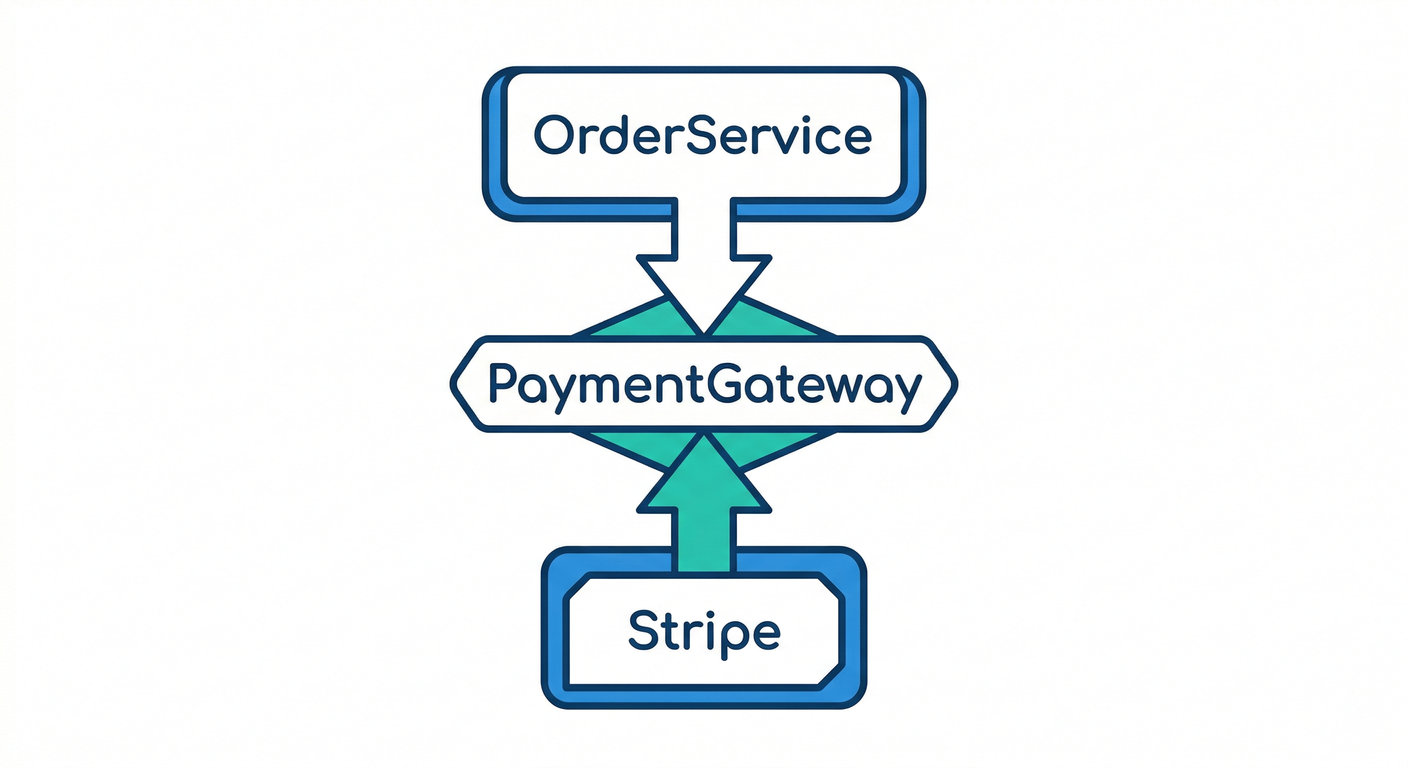
- ✅ 上位(方針):
OrderService(注文を確定する、合計金額を出す、ルールを守る) - ✅ 抽象(契約):
PaymentGateway(支払う、という「やりたいこと」だけ決める) - ✅ 下位(詳細):
StripePaymentGateway/PayPayPaymentGateway(実際の支払い方法の都合)
依存の向きはこう👇
OrderService→ PaymentGateway(interface)StripePaymentGateway→ PaymentGateway(interface) を実装する
(=詳細が抽象に依存する✨)
1) “差し替え可能”の最小セットを作ろう🧩✨
ここでは「支払い」を題材にします💳📱
(第19章のミニPJにもそのまま使える形!)
フォルダ構成(わかりやすさ優先)📁
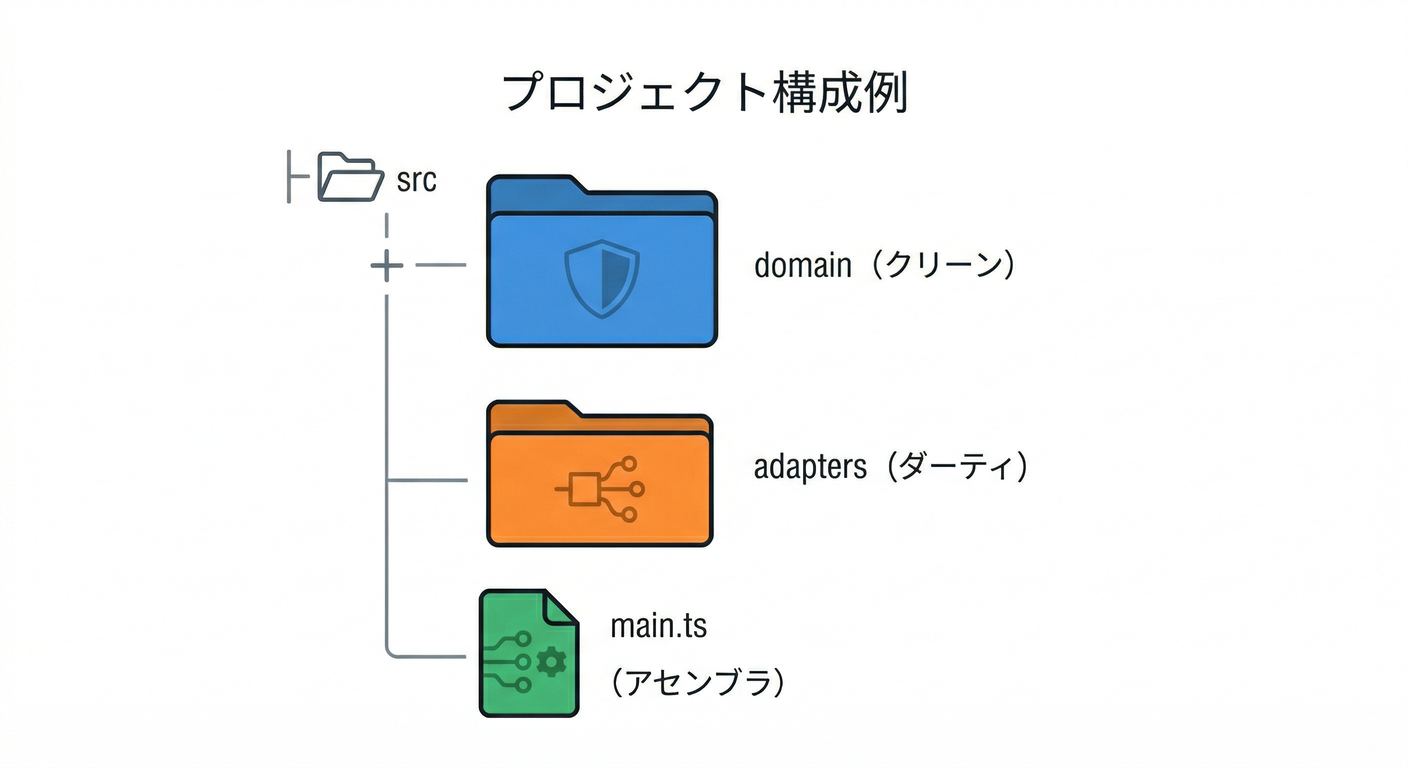
src/domain/...:上位(業務)と抽象(契約)src/adapters/...:下位(実装)src/main.ts:組み立て(どの実装を使うか選ぶ場所)
2) Step1:抽象(interface)を 上位側に置く 🧩📌
src/domain/payment/PaymentGateway.ts
export type Money = {
  amount: number;
  currency: "JPY" | "USD";
};

export type ChargeRequest = {
  orderId: string;
  customerId: string;
  total: Money;
};

export type ChargeResult =
  | { ok: true; paymentId: string }
  | { ok: false; reason: "DECLINED" | "NETWORK" | "UNKNOWN"; message?: string };

export interface PaymentGateway {
  charge(req: ChargeRequest): Promise<ChargeResult>;
}
ポイントだよ〜🧁
- ✅ interfaceは“契約書”:上位が「これさえできればOK」と言える状態にする📜✨
- ✅ 抽象は“やりたいこと(What)”だけ:Stripeの都合、PayPayの都合は書かない🙅♀️
3) Step2:上位(業務)を “interfaceだけ” 見るようにする👀✨
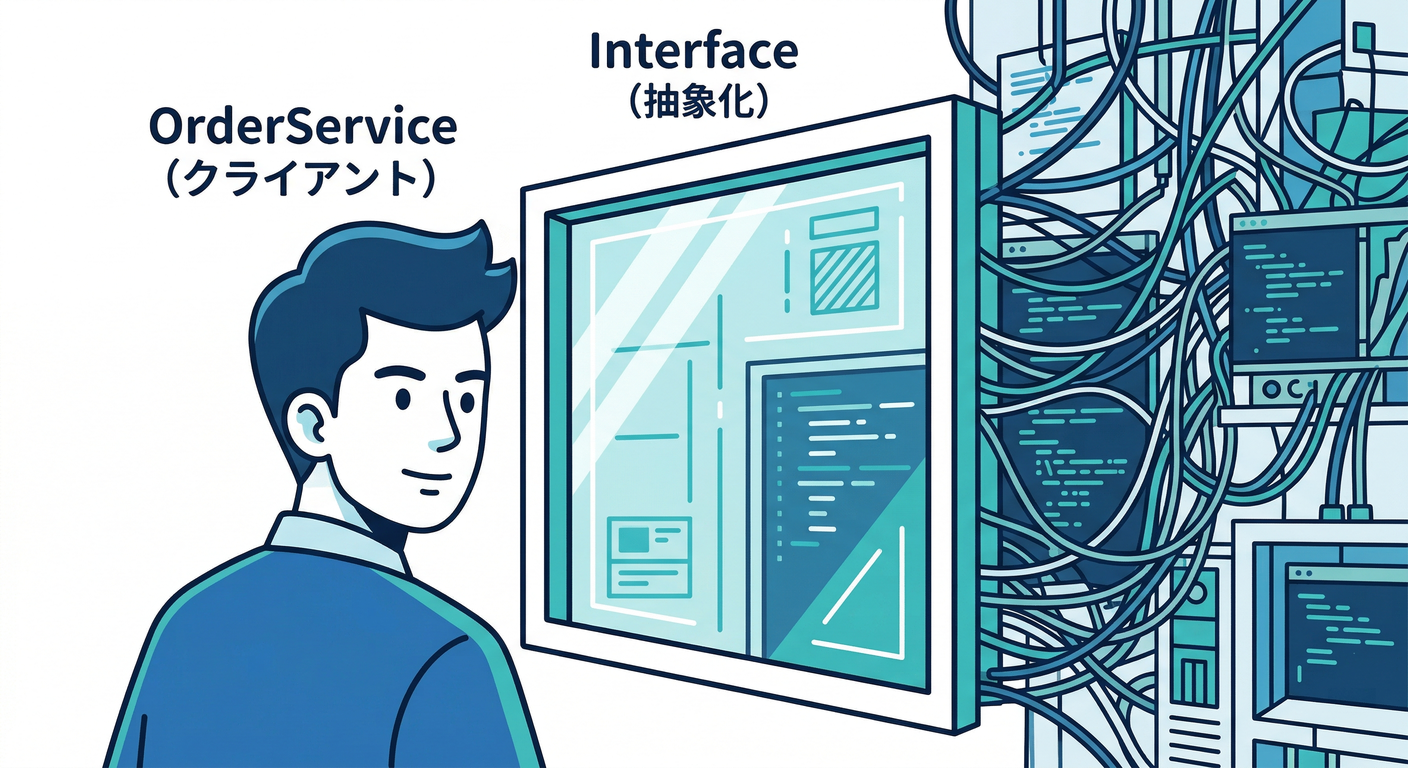
src/domain/OrderService.ts
import { PaymentGateway } from "./payment/PaymentGateway.js";

export type OrderItem = { sku: string; qty: number; price: number };
export type Order = {
  id: string;
  customerId: string;
  currency: "JPY" | "USD";
  items: OrderItem[];
};

export class OrderService {
  constructor(private readonly payment: PaymentGateway) {}

  async placeOrder(order: Order): Promise<{ orderId: string; paymentId: string }> {
    const totalAmount = order.items.reduce((sum, i) => sum + i.price * i.qty, 0);

    const result = await this.payment.charge({
      orderId: order.id,
      customerId: order.customerId,
      total: { amount: totalAmount, currency: order.currency },
    });

    if (!result.ok) {
      // ここでは単純に例外にしてるけど、実務だと Result を返す設計もよくやるよ🙂
      throw new Error(`支払い失敗😢 reason=${result.reason} msg=${result.message ?? ""}`);
    }

    return { orderId: order.id, paymentId: result.paymentId };
  }
}
ここがDIPの“完成ポイント”🌟
- ✅
OrderServiceが Stripe/PayPay という名前を一切知らない - ✅
importもnew Stripe...()も 上位側には存在しない 🙌
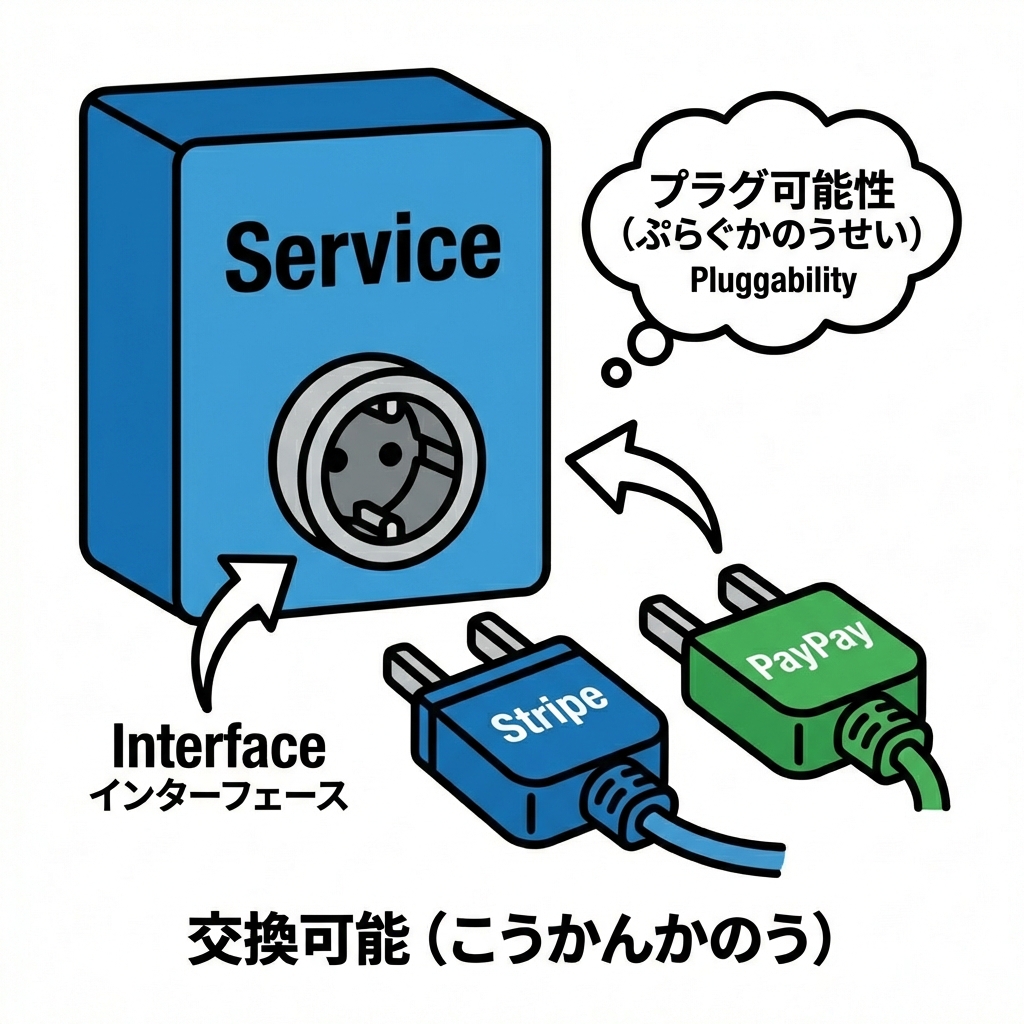
4) Step3:下位(詳細)=実装クラスを作る👩🔧🔧
src/adapters/StripePaymentGateway.ts
import type {
  PaymentGateway,
  ChargeRequest,
  ChargeResult,
} from "../domain/payment/PaymentGateway.js";

export class StripePaymentGateway implements PaymentGateway {
  constructor(private readonly apiKey: string) {}

  async charge(req: ChargeRequest): Promise<ChargeResult> {
    // 本物はHTTP呼び出しになる想定(この章は形を学ぶのが目的💡)
    // 例:fetch(...) / SDK呼び出し / リトライ など

    if (!this.apiKey) {
      return { ok: false, reason: "UNKNOWN", message: "APIキーがないよ😿" };
    }

    return { ok: true, paymentId: `stripe_${req.orderId}` };
  }
}
src/adapters/PayPayPaymentGateway.ts
import type {
  PaymentGateway,
  ChargeRequest,
  ChargeResult,
} from "../domain/payment/PaymentGateway.js";

export class PayPayPaymentGateway implements PaymentGateway {
  constructor(private readonly merchantId: string) {}

  async charge(req: ChargeRequest): Promise<ChargeResult> {
    if (!this.merchantId) {
      return { ok: false, reason: "UNKNOWN", message: "加盟店IDがないよ😿" };
    }

    return { ok: true, paymentId: `paypay_${req.orderId}` };
  }
}
ここで大事なのはね🍓
- ✅ 下位が抽象(interface)に合わせる(=詳細が抽象に依存する)
- ✅ 上位はノーダメージで差し替え可能になる🎉
5) Step4:組み立て場所で “どの実装を使うか” を決める🧩🚪
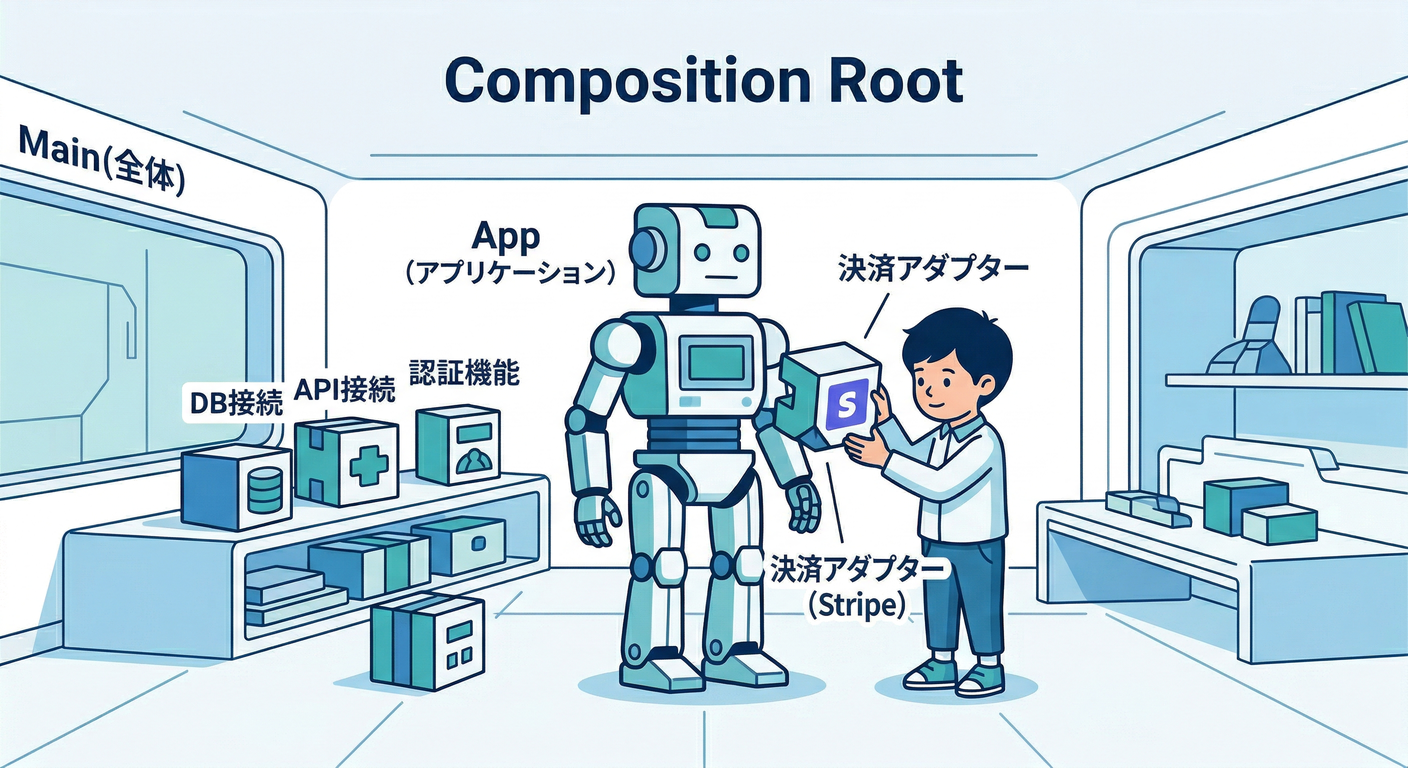
src/main.ts
import { OrderService } from "./domain/OrderService.js";
import { StripePaymentGateway } from "./adapters/StripePaymentGateway.js";
// import { PayPayPaymentGateway } from "./adapters/PayPayPaymentGateway.js";

async function main() {
  // ✅ ここが「組み立て場所」:上位と下位を“握手”させる🤝
  const payment = new StripePaymentGateway(process.env["STRIPE_KEY"] ?? "dummy");
  // const payment = new PayPayPaymentGateway(process.env["PAYPAY_MERCHANT_ID"] ?? "dummy");

  const orderService = new OrderService(payment);

  const receipt = await orderService.placeOrder({
    id: "order_001",
    customerId: "cus_123",
    currency: "JPY",
    items: [
      { sku: "cake", qty: 2, price: 450 },
      { sku: "tea", qty: 1, price: 300 },
    ],
  });

  console.log("完了🎉", receipt);
}

main().catch((e) => console.error("エラー😵", e));
6) ほんとに差し替えできる?✅ “確認ポイント”5つ🌈
- ✅ 上位コード(domain)が adapters を import してない?
- ✅ 上位が持つのは
PaymentGatewayだけ?(具象クラスの型を持ってない?) - ✅
new Stripe...してるのは mainだけ? - ✅ 追加の支払い方法を増やしても、
OrderServiceを触らずに済む? - ✅ 下位の事情(HTTP/SDK/例外の細部)が上位に漏れすぎてない?(漏れると差し替えにくい😿)
7) よくあるミスあるある😵💫(この章で潰す!)
❌ ミス1:interfaceを adapters 側に置いちゃう
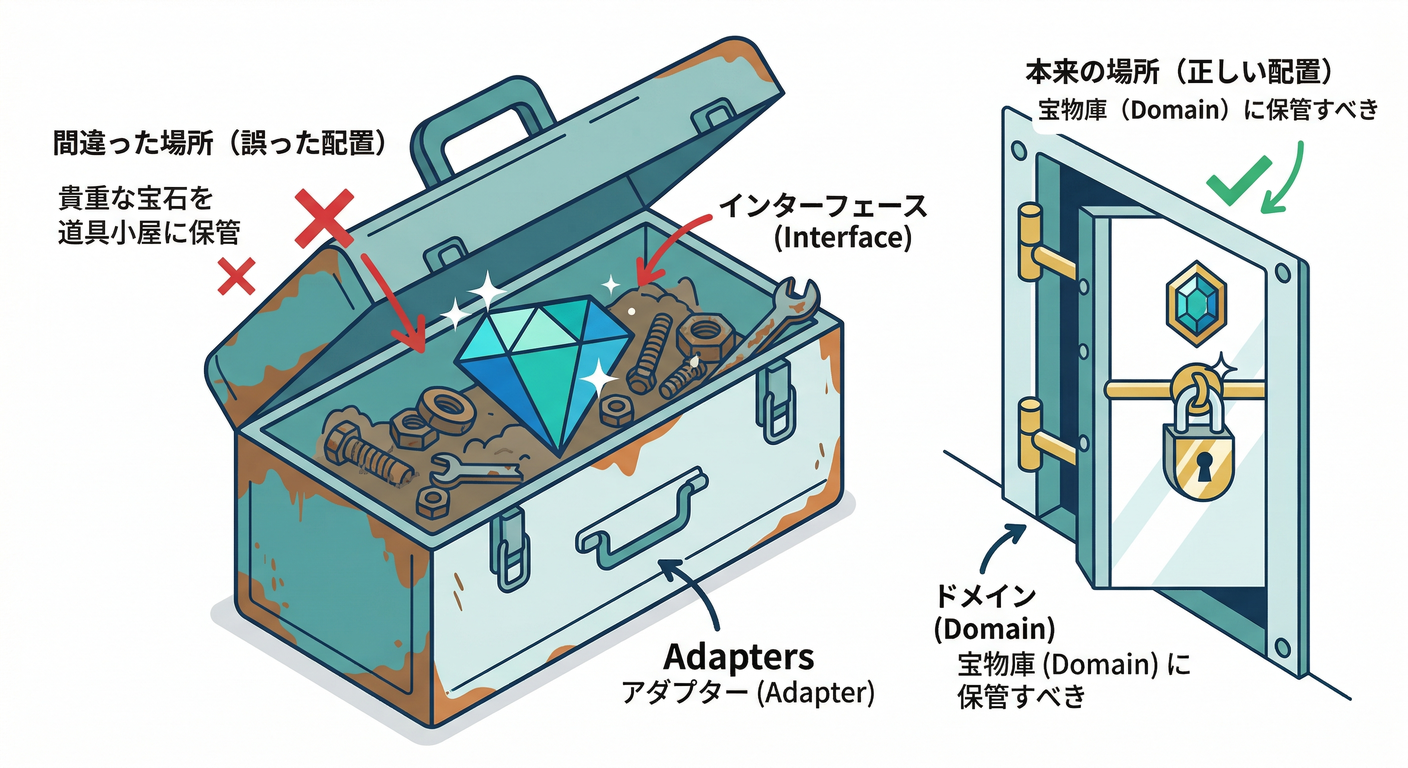
- そうすると上位が「adaptersにある型」を参照しがち → 依存が逆戻りしやすい💥
- ✅ 抽象は上位側に置くのが安全だよ〜🛡️
❌ ミス2:interfaceが“実装の都合”だらけになる
例:chargeStripe(token: string, ...) みたいにしちゃう
- ✅ “支払う” という 業務の言葉で契約を作るのがコツ💬✨
❌ ミス3:上位でこっそり new しちゃう
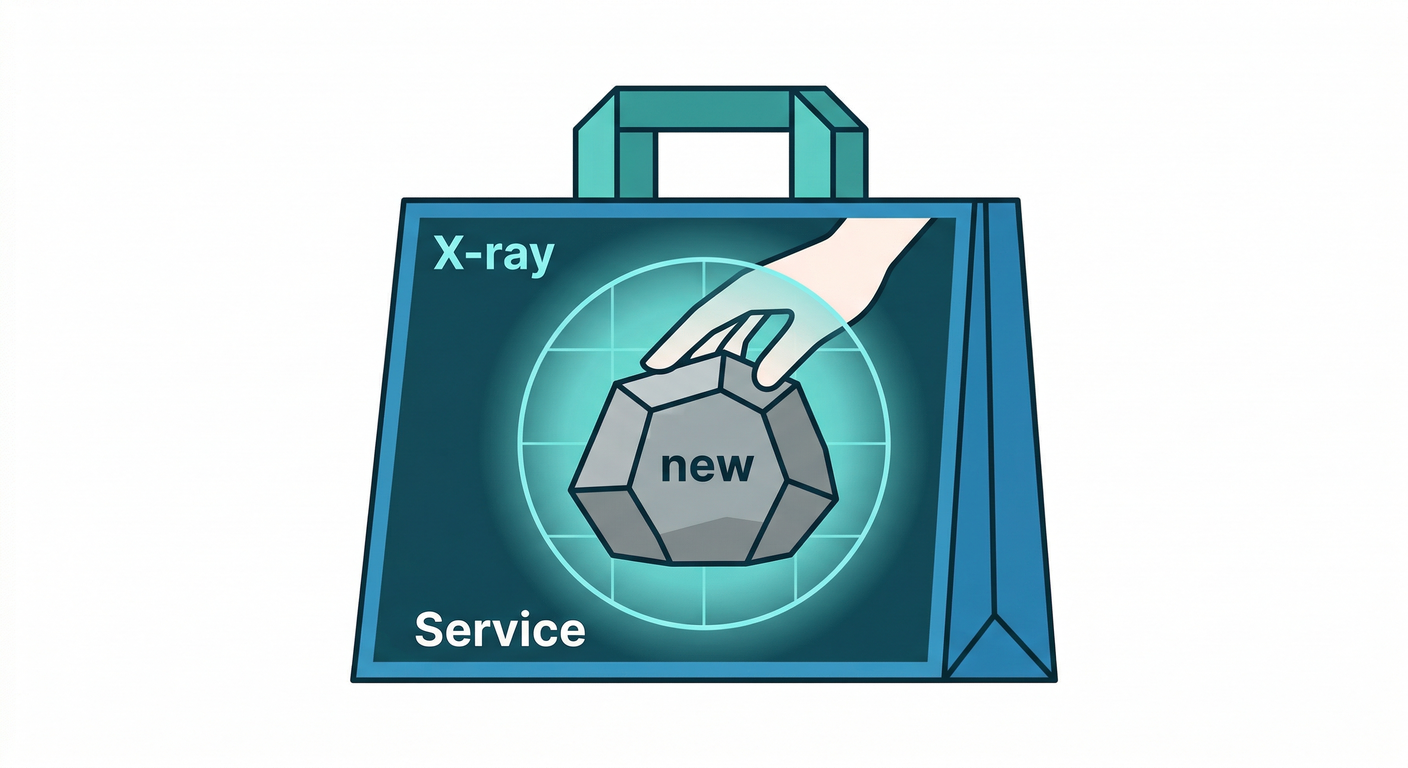
OrderServiceの中でnew StripePaymentGateway()した瞬間、差し替え不可🙅♀️- ✅
main(組み立て)に追い出す!
8) AI(Copilot / Codex)を使うと爆速になる使い方🤖💨
その1:interfaceから実装のひな型を作らせる🧩
プロンプト例💬
- 「
PaymentGatewayを実装するPayPayPaymentGatewayの雛形を作って。失敗はChargeResultで返して。」
その2:差し替えチェックをレビューさせる🔍
プロンプト例💬
- 「domain層がadapters層をimportしてないか、依存方向の観点でレビューして。改善案も。」
その3:命名を“業務の言葉”に寄せる📛
プロンプト例💬
- 「このinterface名とメソッド名、支払い業務の言葉として自然?Repository/Gateway/Clientのどれが適切?」
9) (最新情報メモ🗞️✨)TypeScriptまわり
- npmの
typescriptパッケージは 5.9.3 が Latest(2025-09-30公開)だよ📦✨ (NPM) - TypeScriptチームは 6.0を“橋渡し(bridge)”にして、7.0(ネイティブ移行)へという方針を明言してるよ🌉🚀 (Microsoft for Developers)
- ネイティブ版のプレビュー(Visual Studio向け)も案内が出てるよ👀✨ (Microsoft Developer)
章末の固定セット🍀📌
まとめ(3行)🧾
- 上位は 具象クラスじゃなく interface(抽象)だけを見る👀✨
- 下位は interfaceを実装して差し替え可能にする🔁
newする場所は 組み立て(main)に隔離する🚪🧩
ミニ演習(1〜2問)✍️
LinePayPaymentGateway(架空でOK)を追加して、OrderServiceを一切変更せずに動くようにしてみてね🎀PaymentGatewayのChargeResultにerrorCodeを足したくなった! どこに影響が出る?「上位/下位/両方」どれ?理由も書いてみよう📝✨
AIに聞く用プロンプト例🤖💬
- 「新しい
LinePayPaymentGatewayを追加したい。OrderServiceは触らず、mainだけで差し替えできる形でコード案を出して。差し替えポイントも説明して。」