第12章:関数で表現できるパターン(Strategyの前準備)⚙️
ねらい🎯
- 「クラスでStrategyしなきゃ…😵」の前に、**データを関数に通すたびに、少しずつ形が変わっていくイメージ🌊
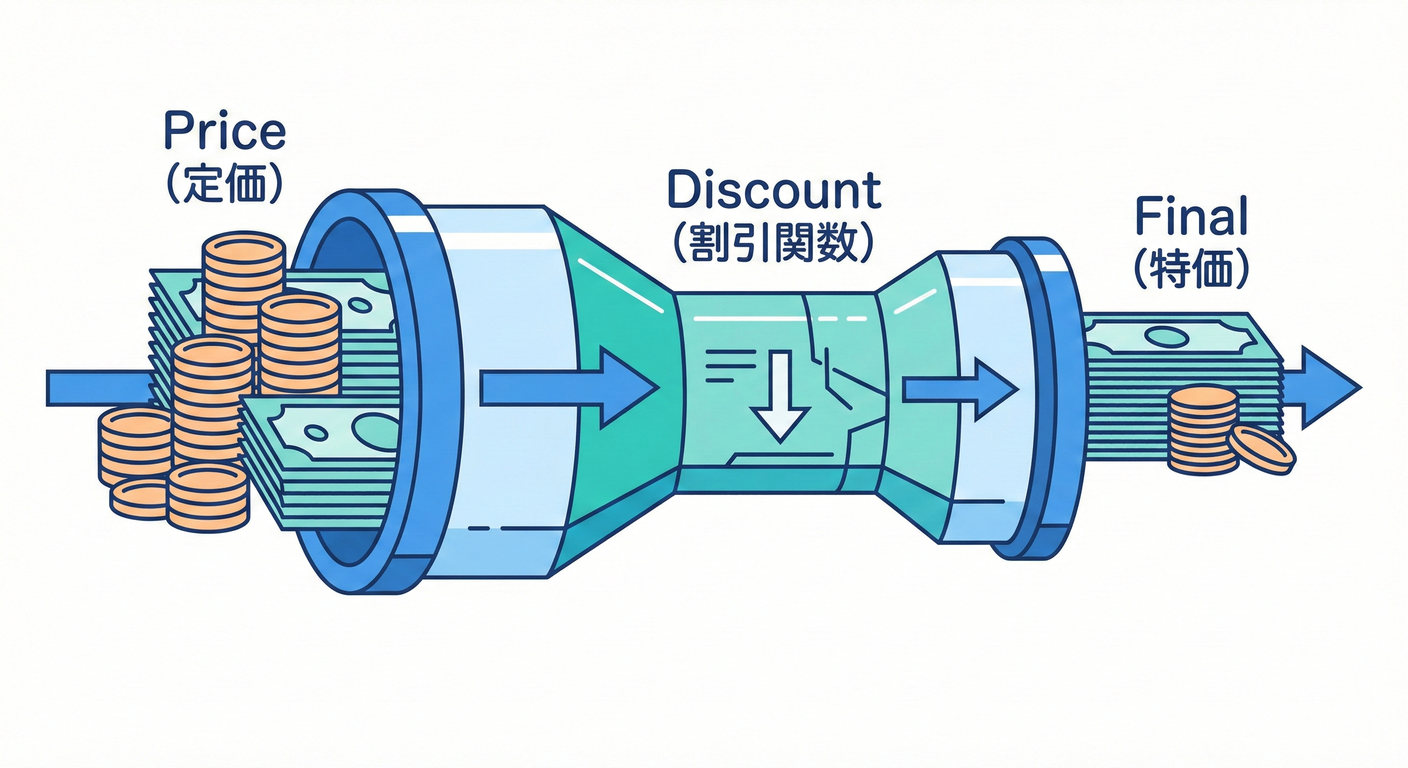 できる**感覚をつかむ✨
if / switchが増えてきたときに、関数+型でスッキリ整理できるようになる🧹- テストが「めっちゃ書きやすい!」を体験する🧪🎉
1. まずは“あるある地獄”を見てみよ😇🔥
「割引ルールが増える」あるある👇
- 学割👩🎓、VIP💎、初回クーポン🎟️、雨の日☔、誕生日🎂、平日限定📅 …増殖!!
❌ ifが増えた版(つらい)
type MemberRank = "guest" | "student" | "vip";

function calcTotal(subtotal: number, rank: MemberRank, couponCode?: string) {
  let discount = 0;

  if (rank === "student") discount += Math.floor(subtotal * 0.1);
  else if (rank === "vip") discount += Math.floor(subtotal * 0.2);

  if (couponCode === "WELCOME500") discount += 500;
  if (couponCode === "VIP1000" && rank === "vip") discount += 1000;

  const total = Math.max(0, subtotal - discount);
  return total;
}
つらさポイント😭
- ルール追加のたびに
calcTotalを編集 → 壊しやすい💥 - 条件が絡むと読みづらい(VIP1000とか…)🌀
- テストも「分岐の組合せ爆発」しがち💣
2. 発想チェンジ💡「処理(やり方)を値として渡す」
TypeScriptでは、関数は“値”として渡せるよ📦✨ 公式にも「関数は値で、型で呼び方を表せる」って書かれてる感じ! (TypeScript)
ここからが本章の主役👇
- コールバック:関数を引数に渡す📲
- 高階関数:関数を返す / 関数を受け取る関数🪄
- 設定オブジェクト:増える引数を
{...}にまとめる🧁
3. Strategyの“芯”を関数で作る🧠✨
3-1. まずは「割引=関数」にする🎁
「小計→割引額」を返す関数にしちゃう!
type DiscountFn = (subtotal: number) => number;

const noDiscount: DiscountFn = () => 0;

const percentOff = (rate: number): DiscountFn => {
  return (subtotal) => Math.floor(subtotal * rate);
};
percentOff(0.1)みたいに作れるのが 高階関数だよ🪄✨
3-2. “差し替え表”を作る(ifを消す)🗂️✨
type MemberRank = "guest" | "student" | "vip";

const discountByRank = {
  guest: percentOff(0),
  student: percentOff(0.1),
  vip: percentOff(0.2),
} satisfies Record<MemberRank, DiscountFn>;
satisfies は「型に合ってるかだけチェックして、推論はそのまま」っていう便利機能だよ🧡 (TypeScript)
- キーの打ち間違い(例:
stundent)を防ぎやすい✅ - でも値側の型推論は潰さない✨
使う側はこう👇
function calcTotal(subtotal: number, rank: MemberRank) {
  const discount = discountByRank[rank](subtotal);
  return Math.max(0, subtotal - discount);
}
うれしさ🥳
- 新しい会員ランク増えても、表に追加するだけ📌
calcTotalが育たない(太らない)🍰🚫
4. ルールが増えたら“合成”しよう(順番も大事)🧩✨
割引って「複数重なる」よね? ここでおすすめは “金額を変換する関数”をつなぐやり方💰➡️💰
4-1. 価格を変換する関数(パイプライン)🚰
type PriceRule = (price: number) => number;

const pipe =
  (...rules: PriceRule[]): PriceRule =>
  (price) =>
    rules.reduce((p, rule) => rule(p), price);

const applyPercentOffRule = (rate: number): PriceRule => (price) =>
  Math.max(0, price - Math.floor(price * rate));

const applyCouponRule = (amount: number): PriceRule => (price) =>
  Math.max(0, price - amount);
4-2. 「会員割引+クーポン」を合成🎟️💎
type MemberRank = "guest" | "student" | "vip";

const percentRuleByRank = {
  guest: applyPercentOffRule(0),
  student: applyPercentOffRule(0.1),
  vip: applyPercentOffRule(0.2),
} satisfies Record<MemberRank, PriceRule>;

const couponRuleFromCode = (code?: string): PriceRule => {
  if (code === "WELCOME500") return applyCouponRule(500);
  if (code === "VIP1000") return applyCouponRule(1000);
  return (p) => p;
};

function calcTotalV2(subtotal: number, rank: MemberRank, couponCode?: string) {
  const rule = pipe(
    percentRuleByRank[rank],
    couponRuleFromCode(couponCode)
  );

  return rule(subtotal);
}
ポイント💡
- ルールは「小さな関数」にするほど強い💪✨
- そして 順番が仕様になる!(先に%割引→あとクーポン、みたいに)📌
5. “引数増殖”は設定オブジェクトで止める🧁✨
「税率、丸め、割引…」って引数が増えると、呼び出しが読みにくくなるよね😵💫
5-1. 設定オブジェクト+デフォルト値🥨
type Rounding = "floor" | "round" | "ceil";

type PriceOptions = {
  taxRate?: number;
  rounding?: Rounding;
};

const roundBy = (mode: Rounding): PriceRule => (price) => {
  if (mode === "floor") return Math.floor(price);
  if (mode === "ceil") return Math.ceil(price);
  return Math.round(price);
};

function createPriceCalculator(options: PriceOptions = {}) {
  const taxRate = options.taxRate ?? 0.1;
  const rounding = options.rounding ?? "floor";

  const addTax: PriceRule = (price) => price * (1 + taxRate);

  return pipe(addTax, roundBy(rounding));
}
使う側👇
const calcFinal = createPriceCalculator({ taxRate: 0.1, rounding: "floor" });
const total = calcFinal(1200);
うれしさ🥳
- 引数の順番ミスが起きにくい✅
- オプション追加しても壊れにくい✨
6. テストがラクになる理由🧪🎉(関数Strategyの神ポイント)
関数の割引ルールは 入出力がはっきりしてるから、テストが超書きやすい!
import { describe, it, expect } from "vitest";

describe("applyPercentOffRule", () => {
  it("10% off of 1000 => 900", () => {
    const rule = applyPercentOffRule(0.1);
    expect(rule(1000)).toBe(900);
  });

  it("never goes below 0", () => {
    const rule = applyCouponRule(2000);
    expect(rule(1500)).toBe(0);
  });
});
7. 迷子にならない命名・整理術🧭✨(関数が増えても勝つ!)
命名テンプレ(おすすめ)📝
applyXxxRule:価格を変換する(入力→出力)xxxFromYyy:変換・生成(couponRuleFromCodeみたいに)createXxx:設定を閉じ込めて“作る”(createPriceCalculator)
ファイル分け(最小)📁
pricing/rules.ts:小さいルール(関数)pricing/calcTotal.ts:合成して使う側pricing/rules.test.ts:テスト
8. つまずき回避💡(ここで転びがち!)
-
**「ルール関数が“状態”を隠し始める」**🫣
- 例:関数の中で外の変数を更新しだす(副作用)
- 対策:まずは 純粋関数(入力→出力) を目指す🧼✨
-
**「割引額を返すのか、価格を返すのか」**で混乱😵
- 対策:増えてきたら 価格変換(PriceRule) に寄せると整理しやすい💰➡️💰
-
「どこに追加すればいいの?」問題🌀
- 対策:登録場所(表)を1つに固定する📌(
discountByRankみたいに)
- 対策:登録場所(表)を1つに固定する📌(
9. ハンズオン🛠️(手を動かすコーナー)✨
課題1🌸:ifを1行も増やさず、新ルール追加できる?
- 「誕生日なら
500円引き」を追加🎂🎟️ - 条件は
isBirthday=true/falseを引数で渡す形でもOK!
ヒント💡
couponRuleFromCodeみたいに「条件→Rule」の関数を作ると楽☺️
課題2🌼:順番で結果が変わる例を作ってみよう
10%OFF → 500円引きと500円引き → 10%OFFで合計が変わるパターンをテストで確認🧪✨
課題3🌺:設定オブジェクトにオプション追加
minTotal(合計が最低いくら、みたいな下限)を追加してみよう🧱- 例:
minTotal: 300なら、どんな割引しても 300円以下にならない
10. AIプロンプト例🤖💬(そのままコピペOK✨)
次のTypeScriptコードの「ifが増殖している部分」を、
関数(コールバック/高階関数)で差し替えできる形にリファクタして。
条件:
- クラス増殖はしない(関数と型、Record/Map中心)
- 追加ルールは「表に追加」だけで済む形にしたい
- 価格変換(price => price)方式も検討して、順序の注意点も書いて
出力:
1) つらさの指摘
2) 改善後の設計(責務)
3) 最小コード
4) テスト案(境界ケース含む)
コード:
<ここに貼る>
11. ミニまとめ🧡✅
-
Strategyって「クラスの話」より前に、関数で十分できるよ⚙️✨
-
ifが増えたら、まずは- 関数を型で定義して
- 表(Record/Map)に登録して
- **合成(pipe)**で育てる🌱
-
関数はテストがラク!🧪🎉
おまけメモ📝✨
- 本章の書き方(
satisfiesなど)はTypeScriptの標準機能として公式に説明されてるよ📚 (TypeScript) - 本日時点のTypeScript最新は 5.9 系として案内されてるよ(npm/公式ダウンロードページ)。 (npmjs.com)