第20章:HTTPアクセスを外に押し出す🌐🧩
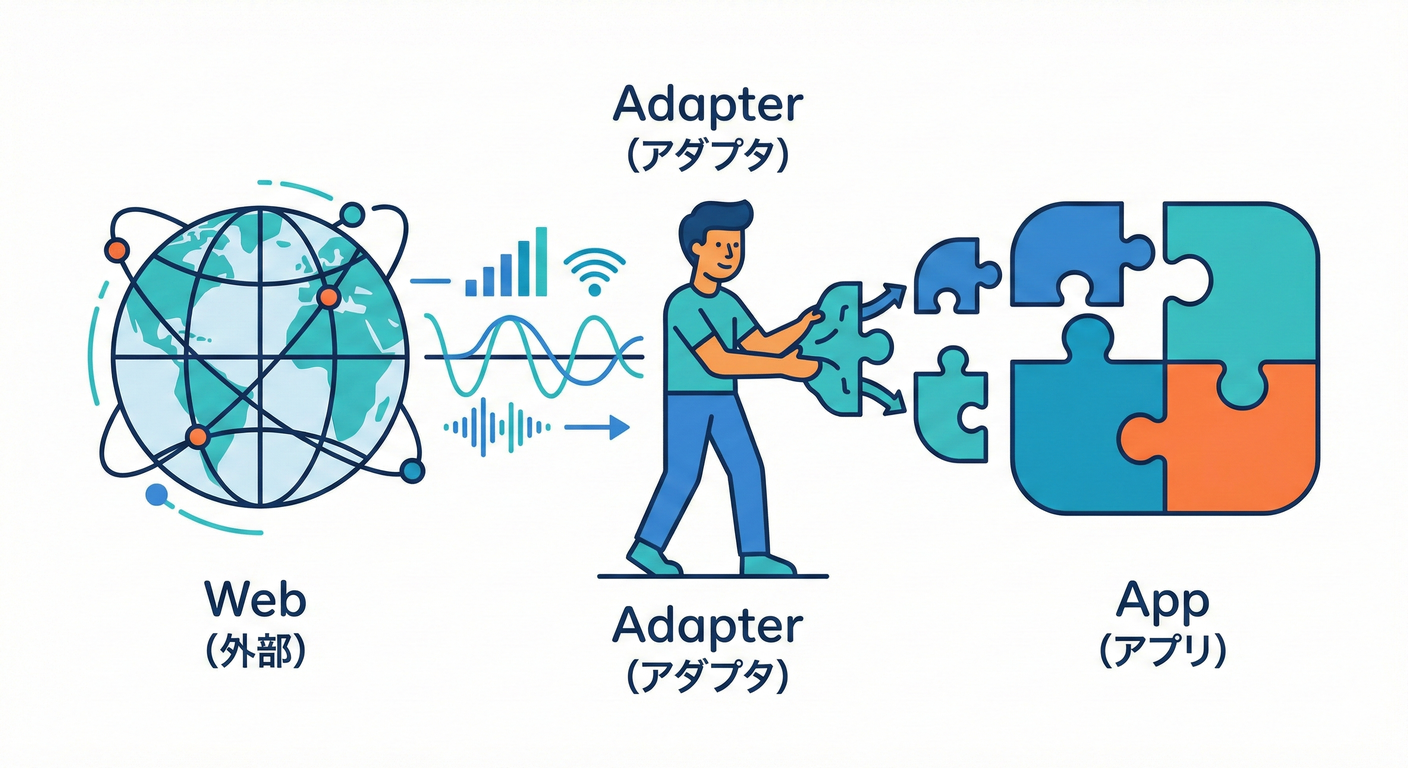
この章では、「中心(ロジック)」から HTTP(fetch/axios等)を追い出して、 API仕様変更・認証方式変更・タイムアウト・リトライみたいな“外の都合”でアプリの核が汚れない形にします✨🧼
20.0 この章のゴール🎯✨* ✅ 中心(ユースケース/ドメイン)
が HTTPを知らない 状態にする🙈
- ✅ “外側”で HTTP→DTO→ドメイン型 変換する🔁💎
- ✅ 中心のテストが ネット無しで爆速 になる⚡🧪
- ✅ API変更が来ても、直す場所が アダプタだけ になる🛡️
20.1 まず敵を知ろう😈:HTTP直書きの「テストしにくい臭い」👃
💨こんなの、つい書きがち…👇😵💫
// ❌ 中心ロジックにHTTPが混ざってる例(つらい)
export async function getUserLabel(userId: string): Promise<string> {
  const res = await fetch(`https://example.com/api/users/${userId}`);
  if (!res.ok) throw new Error("failed");
  const json = await res.json(); // DTO
  return `${json.name} (${json.company.name})`; // 変換までここでやってる
}
これが何を生むかというと…🥺
- 🧪 テストがネット依存 → 遅い・不安定・落ちる
- 🔁 APIの形が変わるたび中心を修正 → 変更が怖い
- 🧩 認証/ヘッダ/タイムアウトが中心に侵入 → 責務ぐちゃぐちゃ
20.2 “正解の絵”を先に見よう🗺
️✨(Port & Adapter)合言葉はこれ👇💖
- 中心:ドメイン語で話す(HTTP語禁止🙅♀️)
- 境界:interface(Port)
- 外側:AdapterがHTTPして、変換して、中心へ渡す
イメージ🌸
-
🧠 中心(UseCase / Domain)
UserServiceとかSearchUsersとか- 依存するのは UserGateway みたいな“約束”だけ📜
-
🚪 境界(Port)
UserGateway(必要最小の操作だけ)
-
🌐 外側(Adapter)
FetchUserGateway(fetchでHTTP、DTO→Domain変換)
20.3 2026/01/16時点の“いまどき事情”🆕✨
(超大事)* Node.js は v24がActive LTS(安定運用向き)で、v25はCurrent(最新系)です📌 (Node.js)
- Node.js の fetch は Undiciベースで公式ドキュメントがあります🌊 (Node.js)
- TypeScript の最新は 5.9.3(npm上のLatest)です📦 (npm)
- テストは Vitest 4 系が現行の大きめトレンドの1つ(公式が4.0告知)です🧪✨ (Vitest)
- HTTPモックは MSWが便利で、Nodeは 18以上が前提です🧸(fetchが必要) (mswjs.io)
20.4 ハンズオン:API結果を“ドメイン型”に変換して中心へ✨
💎題材:ユーザー情報を取って、表示ラベルを作る🎀
(例:"Alice (Acme Inc.)" みたいな表示)
20.4.1 フォルダ構成(おすすめ)
📁✨* src/domain:中心の型・純粋ロジック
src/app:ユースケース(中心寄り)src/infra:HTTPアダプタ(外側)src/index.ts:組み立て(Composition Root)🏗️
20.5 Step1:ドメイン型を作る💎🧠(中心の言葉)
// src/domain/user.ts
export type UserId = string;

export type User = Readonly<{
  id: UserId;
  name: string;
  companyName: string;
}>;

export function formatUserLabel(user: User): string {
  // ✅ 純粋ロジック:テスト超ラク
  return `${user.name} (${user.companyName})`;
}
20.6 Step2:中心が依存する “Port(約束)
” を作る📜🚪ポイント:HTTPっぽい言葉(status, headers…)を入れない🙅♀️ 中心は「ユーザーを取得できればいい」だけ💕
// src/app/userGateway.ts
import { User, UserId } from "../domain/user";

export type UserGateway = Readonly<{
  fetchUserById: (id: UserId) => Promise<User>;
}>;
20.7 Step3:ユースケースを書く🧠🎬(中心寄り)
// src/app/getUserLabel.ts
import { formatUserLabel, UserId } from "../domain/user";
import { UserGateway } from "./userGateway";

export async function getUserLabel(
  gateway: UserGateway,
  userId: UserId
): Promise<string> {
  const user = await gateway.fetchUserById(userId);
  return formatUserLabel(user);
}
🎉 ここまでで中心は HTTPゼロ!最高!🕺✨
20.8 Step4:外側にHTTPアダプタを書く🌐🧩
(DTO→Domain変換はココ!)### DTO(外の形)
を定義📦
// src/infra/userDto.ts
export type UserDto = {
  id: string;
  name: string;
  company?: {
    name?: string;
  };
};
変換(DTO→Domain)
✨「欠損値を吸収」するのが境界の仕事だよ〜🧽💕
// src/infra/userMapper.ts
import { User } from "../domain/user";
import { UserDto } from "./userDto";

export function toDomainUser(dto: UserDto): User {
  return {
    id: dto.id,
    name: dto.name,
    companyName: dto.company?.name ?? "Unknown Company",
  };
}
fetchするアダプタ🌊(タイムアウトも境界で!
)
// src/infra/fetchUserGateway.ts
import { UserGateway } from "../app/userGateway";
import { UserId } from "../domain/user";
import { UserDto } from "./userDto";
import { toDomainUser } from "./userMapper";

export function createFetchUserGateway(baseUrl: string): UserGateway {
  return {
    async fetchUserById(id: UserId) {
      const controller = new AbortController();
      const timeoutMs = 5_000;

      const timer = setTimeout(() => controller.abort(), timeoutMs);

      try {
        const res = await fetch(`${baseUrl}/users/${id}`, {
          signal: controller.signal,
          headers: { "Accept": "application/json" },
        });

        if (!res.ok) {
          // ✅ HTTP事情は外側で処理して、中心には漏らしにくくする
          throw new Error(`HTTP ${res.status}`);
        }

        const dto = (await res.json()) as UserDto;
        return toDomainUser(dto);
      } finally {
        clearTimeout(timer);
      }
    },
  };
}
20.9 Step5:組み立て(Composition Root)
🏗️✨
// src/index.ts
import { getUserLabel } from "./app/getUserLabel";
import { createFetchUserGateway } from "./infra/fetchUserGateway";

async function main() {
  const gateway = createFetchUserGateway("https://example.com/api");
  const label = await getUserLabel(gateway, "123");
  console.log(label);
}

main().catch(console.error);
20.10 テスト🧪✨
:中心はネット無しで爆速!⚡💕### 20.10.1 中心のユニットテスト(FakeでOK)
🧸
// src/app/getUserLabel.test.ts
import { describe, it, expect } from "vitest";
import { getUserLabel } from "./getUserLabel";
import { UserGateway } from "./userGateway";

describe("getUserLabel", () => {
  it("ユーザー情報から表示ラベルを作れる🎀", async () => {
    const fakeGateway: UserGateway = {
      async fetchUserById(id) {
        return { id, name: "Alice", companyName: "Acme Inc." };
      },
    };

    const label = await getUserLabel(fakeGateway, "123");
    expect(label).toBe("Alice (Acme Inc.)");
  });
});
✅ ここ、HTTPゼロなので テストは 速い・安定・気持ちいい💖🧪
20.10.2 外側(HTTPアダプタ)
のテスト(MSWでHTTPを“演出”)🎭🧸MSWは「テスト中のHTTPを横取りして、好きなレスポンス返す」やつだよ〜✨ Nodeで使うとき Node 18+ が前提だよ📌 (mswjs.io)
(概念が伝わる最小例👇)
// src/infra/fetchUserGateway.test.ts
import { describe, it, expect, beforeAll, afterAll, afterEach } from "vitest";
import { setupServer } from "msw/node";
import { http, HttpResponse } from "msw";
import { createFetchUserGateway } from "./fetchUserGateway";

const server = setupServer(
  http.get("https://example.com/api/users/123", () => {
    return HttpResponse.json({
      id: "123",
      name: "Alice",
      company: { name: "Acme Inc." },
    });
  })
);

beforeAll(() => server.listen());
afterEach(() => server.resetHandlers());
afterAll(() => server.close());

describe("FetchUserGateway", () => {
  it("DTOをDomainに変換できる💎", async () => {
    const gateway = createFetchUserGateway("https://example.com/api");
    const user = await gateway.fetchUserById("123");
    expect(user.companyName).toBe("Acme Inc.");
  });
});
20.11 よくある落とし穴💣😵💫(ここだけ注意!
)### ① Portが“HTTPっぽく”なる🌐➡️
🧠(ダメ)* ❌ get(url) とか statusCode とか
- ✅
fetchUserById/searchOrdersみたいに ドメイン語で!
② DTOを中心に持ち込む📦😱* ❌ 中心が UserDto を知る
- ✅ 変換は外側で完結(DTO→Domain)💎
③ 変換が中心と外側で二重管理🔁😵* ✅ “変換関数”は境界(infra)
に1箇所に寄せる✂️✨
④ テストが「中心なのにMSW必須」になる🧪💥* ✅ 中心はFake/StubでOK
- ✅ MSWは 外側の確認用 に限定するのがキレイ🎀
20.12 ミニ課題🎒✨
(手を動かすやつ!)### 課題A:欠損値に強くする🧽* company.name が無いとき "Unknown Company" になるテストを書こ🧪✨
課題B:HTTPエラーを仕様として固定する🚨* 404 のときどうする?
- 例:
throw new Error("UserNotFound")に変換する - 例:
Result型で返す(次章以降のエラー設計にもつながるよ🔥)
課題C:Portをさらに“最小化”✂️* 今 fetchUserById しか使ってないならOK
- もし
searchUsersも足したくなったら、別Port に分けるのアリだよ〜🧩✨
20.13 AI拡張の使いどころ🤖🎀(速くなる!
)### 👍 お願いしていいこと* DTOサンプルを10個作って(欠損・null・変な値も混ぜて)
🧪
- 変換関数のテストケース案を列挙して📝
- MSWのハンドラ案を作って🎭
⚠️ 自分が握ること* 「Portの名前・責務」=境界線の判断✂️
🧠
- 「中心にHTTP語を入れない」ポリシー🛡️
(おすすめプロンプト例💡)
- 「UserDto→Userの変換で起きがちな欠損パターンを10個、テスト観点として列挙して。TypeScriptで」🤖📝
20.14 まとめ🌈
🎉* 🌐 HTTPは“外の都合”だから、外側(Adapter)へ
- 🚪 中心は Port(interface knowing domain) だけを見る
- 💎 DTO→Domain変換は 境界で吸収(欠損・命名差・単位差)
- 🧪 中心テストはFakeで爆速、外側はMSWで最小限に確認🎭✨
次の章(DB/永続化🗄️🧩)も、発想はほぼ同じだよ〜! 「中心は知らない」「外側が変換して渡す」この型、めちゃ強いです💪💖