第26章:Builder ③ Builderが必要な瞬間:手順が複雑で“順番”がある🧱
この章のねらい🎯
- 「引数が多い」だけじゃなく、「手順の順番が大事」なときに Builder が効くって説明できるようになるよ😊
- 手順を “順番どおりにしか呼べない” 形にして、バグを減らすよ🛡️✨
- TypeScriptらしく 余計な独自クラスを増やさず、標準的な書き方でやるよ🍰
まず結論:Builderが刺さるのはこんな時💡✨
Builderが必要になりやすいサイン👀
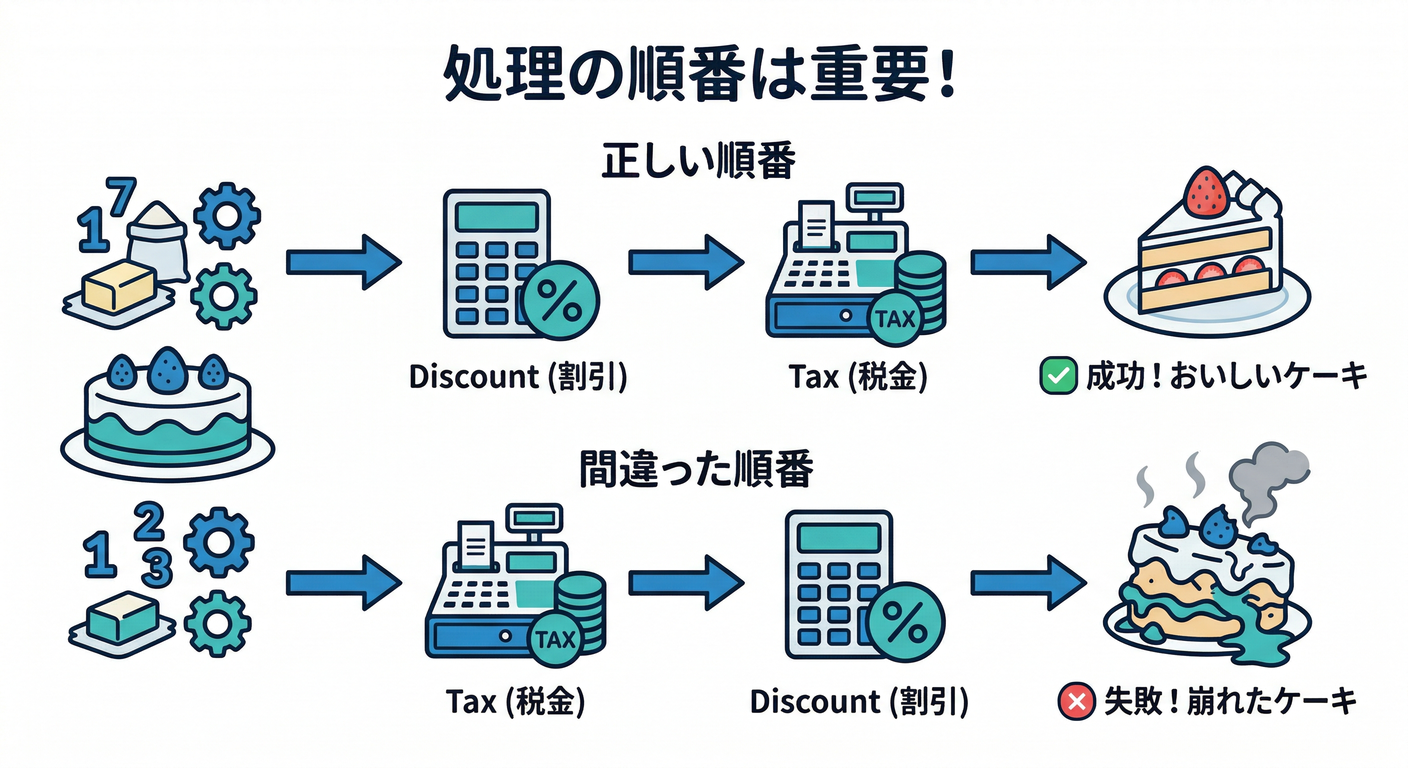
- 処理の順番が意味を持つ(割引→税→送料…みたいに順序で結果が変わる)🔁
-
途中の状態を外に見せたくない(中間データを触られると破綻する)🙅♀️
-
「やった/やってない」を管理したい(税計算を2回やる事故…など)🧯
-
呼び出し側を読みやすくしたい(「何をしてるか」が1行ずつ見える)📖✨
BuilderじゃなくてOKなこともあるよ🙆♀️
- 任意引数が多いだけ → 「オプションオブジェクト+デフォルト値」で十分なことが多い🧁
- 順番がどうでもいい → 関数の組み合わせ(パイプライン)でスッキリすることが多い⚙️
ありがちな事故:順番が自由すぎると、バグが混ざる😵💫
たとえば「合計金額」を作るとき👇
- 割引は税の前?税の後?
- 持ち帰り手数料はどのタイミング?
- 丸め(端数処理)は最後?途中?
順番をミスると、金額が数円ズレる みたいな地味に痛いバグが出るよね…💦
今日の題材☕🧾(カフェ注文の「金額内訳」を作る)
作りたい最終成果(完成品)👇
- 小計
- 割引額
- 税額
- 送料/持ち帰り手数料
- 合計
Before:順番が自由で事故りやすい例💥
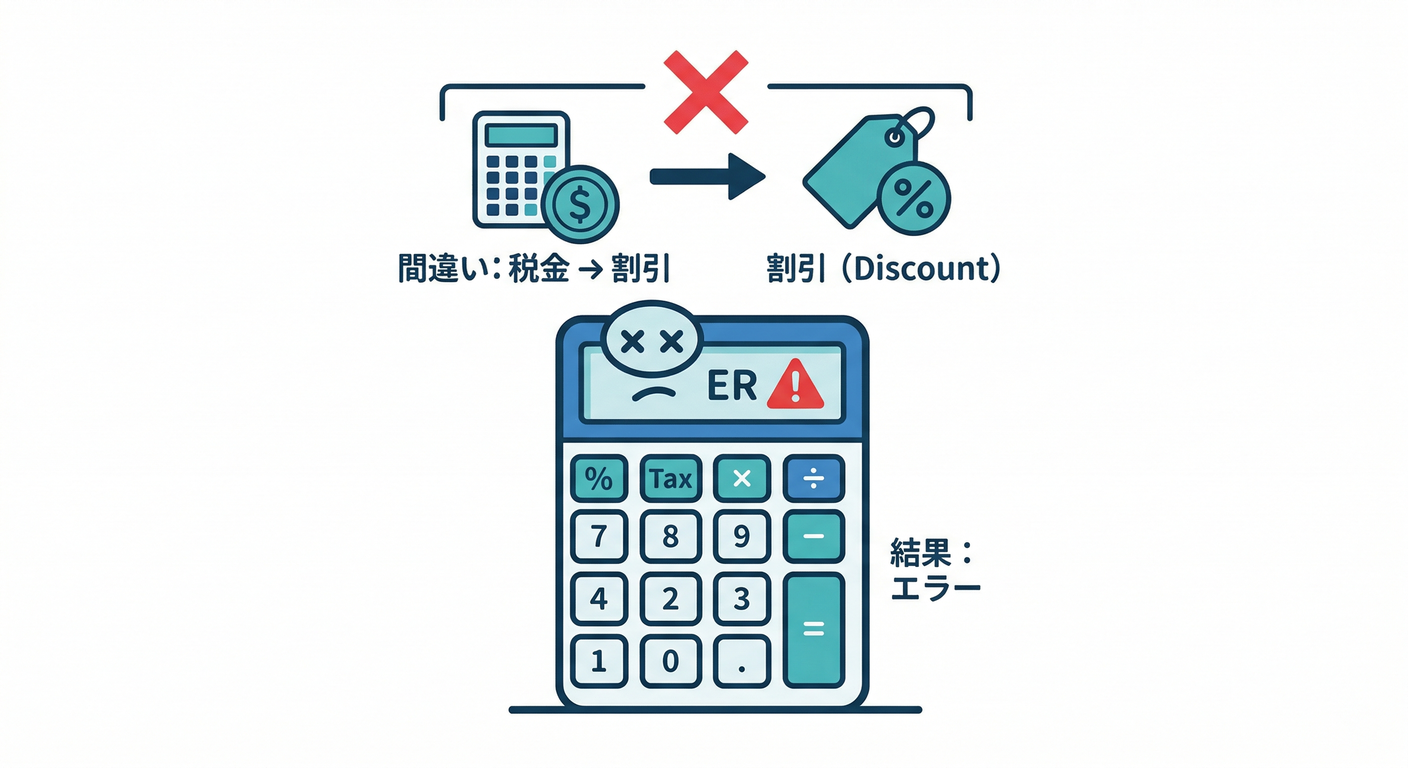
「割引→税→送料」みたいな順番を守ってね!と言っても、呼び出し側が自由だと…こうなる😇
type Item = { name: string; unitPrice: number; qty: number };
type Order = { items: Item[]; takeout: boolean };
type PriceBreakdown = {
subtotal: number;
discount: number;
tax: number;
fee: number;
total: number;
};
function calcSubtotal(order: Order): number {
return order.items.reduce((sum, it) => sum + it.unitPrice * it.qty, 0);
}
function applyDiscount(subtotal: number, discountRate: number): { discounted: number; discount: number } {
const discount = Math.floor(subtotal * discountRate);
return { discounted: subtotal - discount, discount };
}
function applyTax(amount: number, taxRate: number): { taxed: number; tax: number } {
const tax = Math.floor(amount * taxRate);
return { taxed: amount + tax, tax };
}
function applyFee(amount: number, takeout: boolean): { withFee: number; fee: number } {
const fee = takeout ? 10 : 0;
return { withFee: amount + fee, fee };
}
// 呼び出し側が「順番」を間違えてもコンパイルは通っちゃう😵💫
function calcTotalBad(order: Order): PriceBreakdown {
const subtotal = calcSubtotal(order);
// 😭 本当は「割引→税」なのに、先に税をかけちゃった!
const { taxed, tax } = applyTax(subtotal, 0.1);
const { discounted, discount } = applyDiscount(taxed, 0.1);
const { withFee, fee } = applyFee(discounted, order.takeout);
return { subtotal, discount, tax, fee, total: withFee };
}
この時点で「お願い!順番守って!」ってレビューで言い続ける未来が見える…👻
After:Builderで“順番どおりにしか進めない”ようにする🧱✨
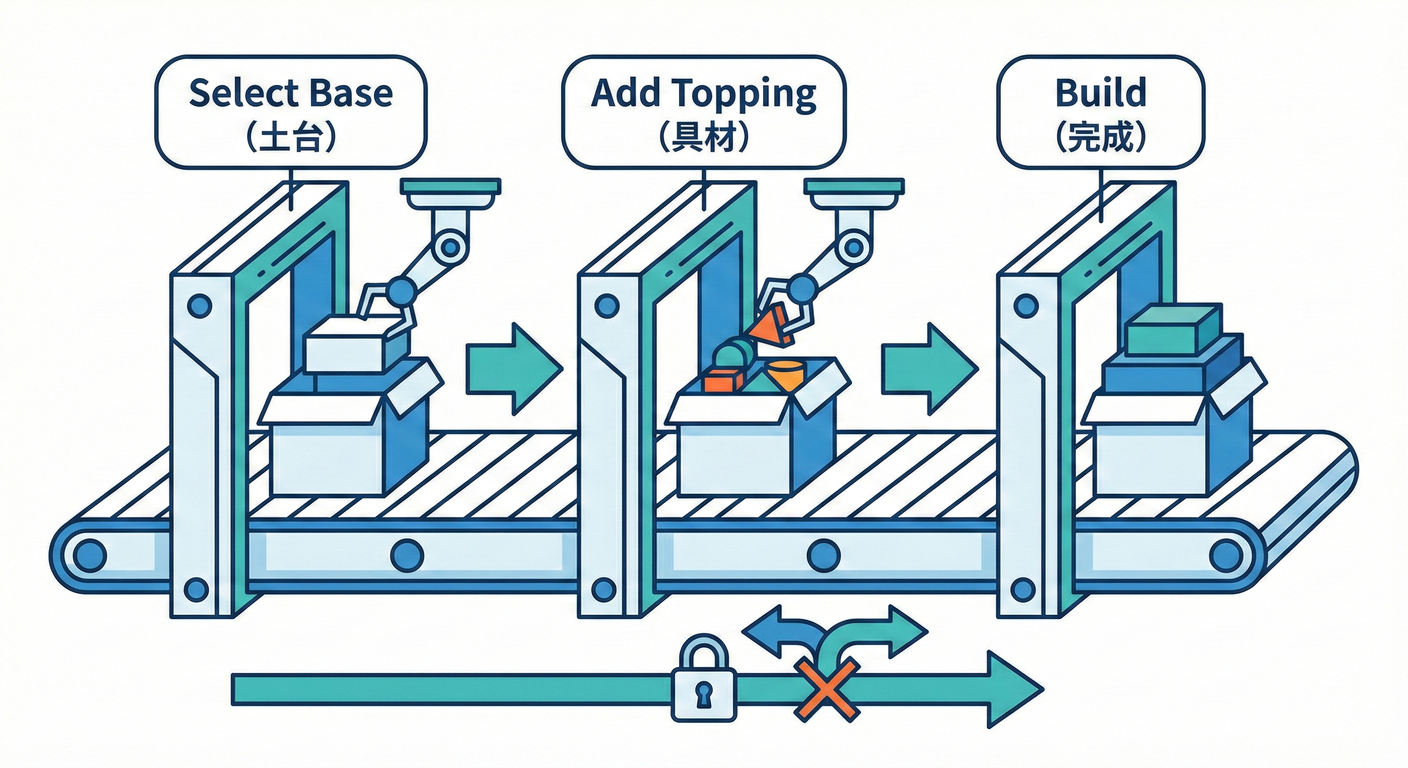
ここからが本題! 「次に呼べるメソッド」を型で制限して、順番ミスをコンパイルで止めるよ🚧✨
実装:Step Builder(手順固定Builder)🪜🧱
1) まずは型(ステップ)を用意する🧩

今回の流れはこれ👇 開始 → 割引(する/しない) → 税 → 手数料 → build
type Item = { name: string; unitPrice: number; qty: number };
type Order = { items: Item[]; takeout: boolean };

type PriceBreakdown = {
  subtotal: number;
  discount: number;
  taxedBase: number;
  tax: number;
  fee: number;
  total: number;
};

type DiscountRule = (subtotal: number) => number;
type FeeRule = (amountAfterTax: number, order: Order) => number;

type StartStep = {
  discount: (rule: DiscountRule) => AfterDiscountStep;
  noDiscount: () => AfterDiscountStep;
};

type AfterDiscountStep = {
  tax: (taxRate: number) => AfterTaxStep;
};

type AfterTaxStep = {
  fee: (rule: FeeRule) => BuildStep;
};

type BuildStep = {
  build: () => PriceBreakdown;
};
ポイント💡
- StartStep には tax が存在しないよね? → つまり「割引ステップを通らないと税に行けない」✅
- AfterTaxStep まで来たら もう割引には戻れない ✅
2) Builder本体(クラスを増やさず関数+クロージャで)🍰
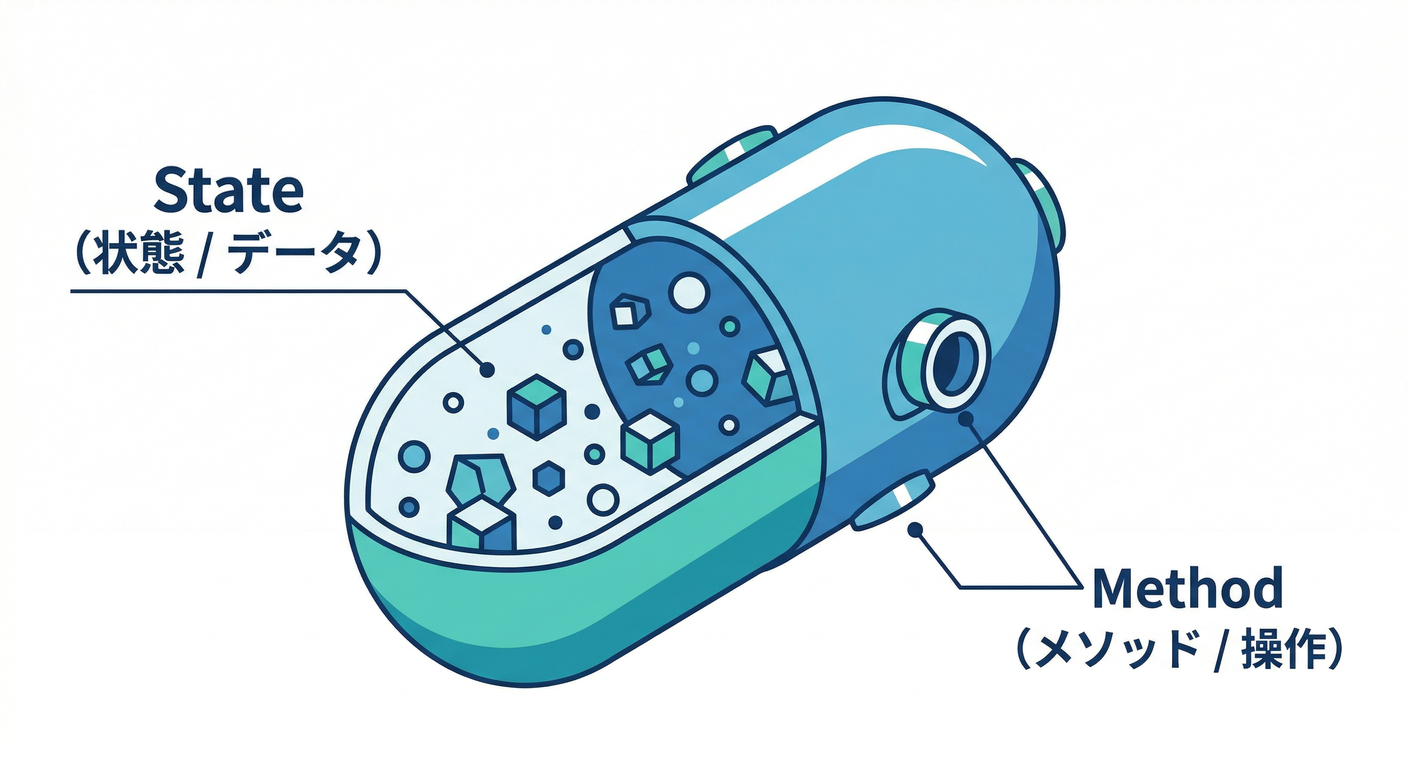
「余計な独自クラスを増やさない」ために、関数でBuilderを作るよ✨ (中の状態はクロージャに隠して、外から触れないようにするのがコツ🫶)
function calcSubtotal(order: Order): number {
  return order.items.reduce((sum, it) => sum + it.unitPrice * it.qty, 0);
}

export function priceBuilder(order: Order): StartStep {
  const state = {
    order,
    subtotal: calcSubtotal(order),
    discount: 0,
    taxedBase: 0,
    tax: 0,
    fee: 0,
    total: 0,
  };

  const afterDiscount: AfterDiscountStep = {
    tax(taxRate: number): AfterTaxStep {
      state.taxedBase = state.subtotal - state.discount;
      state.tax = Math.floor(state.taxedBase * taxRate);
      const amountAfterTax = state.taxedBase + state.tax;

      const afterTax: AfterTaxStep = {
        fee(rule: FeeRule): BuildStep {
          state.fee = rule(amountAfterTax, state.order);
          state.total = amountAfterTax + state.fee;

          return {
            build(): PriceBreakdown {
              return {
                subtotal: state.subtotal,
                discount: state.discount,
                taxedBase: state.taxedBase,
                tax: state.tax,
                fee: state.fee,
                total: state.total,
              };
            },
          };
        },
      };

      return afterTax;
    },
  };

  const start: StartStep = {
    discount(rule: DiscountRule): AfterDiscountStep {
      state.discount = rule(state.subtotal);
      return afterDiscount;
    },
    noDiscount(): AfterDiscountStep {
      state.discount = 0;
      return afterDiscount;
    },
  };

  return start;
}
3) 使い方:呼び出し側がめっちゃ読みやすい📖✨

const order: Order = {
  items: [
    { name: "Latte", unitPrice: 420, qty: 1 },
    { name: "Cookie", unitPrice: 180, qty: 2 },
  ],
  takeout: true,
};

const tenPercentOff: DiscountRule = (subtotal) => Math.floor(subtotal * 0.1);

const takeoutFee: FeeRule = (_amountAfterTax, o) => (o.takeout ? 10 : 0);

const breakdown =
  priceBuilder(order)
    .discount(tenPercentOff)   // ✅ ここで割引を確定
    .tax(0.1)                  // ✅ 次は税しか呼べない
    .fee(takeoutFee)           // ✅ 次は手数料
    .build();                  // ✅ 最後に完成!

console.log(breakdown);
ここが気持ちいいポイント😍
- 上から読むだけで「何をしてるか」がわかる✨
- 順番が崩せないから、バグの入口が減る✨
“順番ミス”はコンパイルで止まる🛑✨

たとえばこれ👇
- いきなり tax を呼ぶ
- tax の後に discount を呼ぶ …どっちも「そのメソッドが存在しない型」になるので、呼べないよ🙅♀️
ミニテスト🧪(最小でOK!)
「金額系」はテストが超大事だよ〜!💰🧡 代表ケースだけでも守っておくと安心感が段違い✨
import test from "node:test";
import assert from "node:assert/strict";
import { priceBuilder } from "./priceBuilder";

test("割引→税→手数料の順番で計算できる", () => {
  const order = {
    items: [
      { name: "Latte", unitPrice: 420, qty: 1 },
      { name: "Cookie", unitPrice: 180, qty: 2 },
    ],
    takeout: true,
  };

  const tenPercentOff = (subtotal: number) => Math.floor(subtotal * 0.1);
  const takeoutFee = () => 10;

  const b =
    priceBuilder(order)
      .discount(tenPercentOff)
      .tax(0.1)
      .fee((_amountAfterTax, _order) => takeoutFee())
      .build();

  // 小計 = 420 + 180*2 = 780
  assert.equal(b.subtotal, 780);

  // 割引 = floor(780*0.1)=78 → 課税対象=702
  assert.equal(b.discount, 78);
  assert.equal(b.taxedBase, 702);

  // 税 = floor(702*0.1)=70 → 税込=772
  assert.equal(b.tax, 70);

  // 手数料=10 → 合計=782
  assert.equal(b.fee, 10);
  assert.equal(b.total, 782);
});
ハンズオン🛠️(やってみよう!)
お題A:割引ルールを増やす🎟️✨
- 200円引きクーポン(ただし小計500円以上)
- 会員ランク(goldは15%引き、silverは10%引き、bronzeは5%引き)
ヒント💡:割引は subtotalを受け取って「割引額」を返す 形にすると、Builder本体がキレイに保てるよ🧼✨
お題B:丸めルールを最後に足す🔢
- 最終合計だけ「1円単位に丸め」
- もしくは「10円単位に丸め」
やり方は2つあるよ👇
- fee の中で丸める(手軽)
- fee の次に rounding ステップを追加(よりキレイ)✨
AIに頼るプロンプト例🤖💬
あなたはTypeScriptの先生です。
Step Builder(手順固定Builder)で、次の条件を満たす実装案を出してください。

題材:カフェ注文の金額計算(割引→税→手数料→合計)
条件:
- Builder本体は「構築の責務」だけ(業務判断はルール関数に外出し)
- 余計な独自クラスは増やさない(関数+型+クロージャ中心)
- “順番を型で固定”できるようにする(間違った順番はコンパイルで防ぐ)
- 出力:1) 型設計 2) 最小コード 3) 代表テスト 4) つまずきポイント
つまずき回避💡(ここでコケやすいよ〜!)
1) Builderが“何でも屋”になりがち🤹♀️
- ❌ Builderの中に「割引条件の判断(会員か?クーポンか?)」まで入れる
- ✅ Builderは 手順の器、判断は ルール関数 に逃がす → こうすると責務がスッキリ✨
2) 手順が長すぎて逆に読みにくい📜
- ステップが多いなら、ステップを「大きめの意味単位」にまとめるのもアリだよ🙆♀️ (例:割引ステップに「複数割引の合成」を隠す、など)
3) 中間状態を外に出してしまう😵
- 中間の state を返しちゃうと、好き勝手にいじられて破綻することがあるよ💥
- 今回みたいに クロージャで隠す のが安全🛡️✨
ミニまとめ✅🎉
- Builderが本気で効くのは 「順番が大事」「途中状態を隠したい」 とき🧱✨
- Step Builderにすると、順番ミスがコンパイルで止まる から強い🛑
- TypeScriptでは 関数+型+クロージャ で、重たいクラス構成にしなくてもいけるよ🍰
最新情報メモ🗓️✨
- 2026年2月上旬時点で、TypeScript の安定版は npm 上で 5.9.3 が最新として案内されているよ。(npm)
- TypeScript 6.0 は(少なくとも公式の進行表では)2026-02-10 に Beta、2026-03-17 に Final の予定が提示されているよ。(github.com)